

Table of Contents
Key takeawaysThis guide is written for people running programs, not IT departments7 best attendance apps for after-school programsWhen spreadsheets and Google Forms stop workingHow to choose the right attendance app for your programHow OneTap works for after-school programsWhen spreadsheets and Google Forms stop workingFrequently Asked QuestionsKey takeaways
.svg)
The right app depends on program size and workflow
A 20-student enrichment program and a 300-student school-based program have different needs. There is no single best tool for every situation.
Check-in and check-out are both important
Most after-school programs need to know when a child arrived and when they left, and with whom. Check-in alone is not a complete record.
Paper and spreadsheets work, until they don't
Google Forms and clipboards are fine for small, informal programs. They become a problem when programs grow, staff changes, or records are needed for grants or billing.
Grant reporting and billing depend on clean records
If you report attendance to a housing authority, a DOE, or a grant agency, or if you bill based on time, your attendance data has to be accurate, timestamped, and exportable.
Staff adoption matters more than features
The best app for your program is the one your teachers and volunteers will actually use every day without needing training. Simple beats comprehensive for daily workflows.
Some apps focus on attendance. Others bundle billing, parent messaging, and enrollment.
Knowing which features your program actually needs before you evaluate tools will save you from paying for things you won't use, or from choosing something too light for your reporting obligations.
This guide is written for people running programs, not IT departments

After-school care coordinators
Private and independent schools running care for 80 to 300 students, typically with 10 or fewer staff managing multiple rooms.

Nonprofit program directors
Grant-funded youth programs with a reporting obligation to the housing authority, a state agency, or the federal Department of Education.

Community youth program managers
Community-based programs tracking kids across multiple rooms, often with volunteers counted separately from students.

Camp & enrichment program operators
Summer camps and enrichment programs that run off the same recurring roster and need to pilot a tool before a full fall rollout.

Operations and admin staff
The people producing monthly attendance exports for program directors, board reports, grant agencies, or billing reconciliation.
What after-school programs actually need from an attendance app

A grant report is due and the data is spread across three paper logs.
A parent calls asking who picked up their child, and no one has a clear answer.
A billing dispute comes down to whether anyone wrote down the checkout time.
A custody arrangement requires a signed, dated record that a paper log cannot produce.
🛡 Kid safety
Know who is in the building right now. Know who each child left with. Have a signed, timestamped record if a custody arrangement or incident ever requires one.
📄 Grant reporting
A clean export by student, date, and session, ready for the housing authority, the Department of Education, or a grant agency, without rebuilding it by hand.
💰 Billing accuracy
Check-in and check-out timestamps recorded automatically. When a parent disputes a late-pickup fee, the record exists. When it doesn't, the program absorbs the cost.
The checklist before you evaluate any tool
Fast check-in. Kids arrive in a wave. Check-in has to take one tap or a QR scan, not a line at the door and a clipboard.
Check-out with a record. A timestamped sign-out confirms who is still in the building and who each child left with. Check-in alone is not a complete safety record.
Exportable reports. One export by student, date, or date range, ready for a grant report, a board summary, or an administrator, without manual formatting.
Works for recurring programs. Daily and weekly sessions on a fixed roster. The attendance sheet should already exist when staff arrive, not be created fresh each time.
Billing timestamps. Check-in and check-out times recorded automatically, editable if a staff member forgot, and exportable for billing reconciliation.
Easy for any staff member. The person checking kids in is a teacher or volunteer in a busy room. If the tool needs training, it will not be used consistently.
Quick to set up. Import your existing roster from Excel and start the same day. Not a six-week implementation project.
Quick comparison: 7 best attendance apps for after-school programs
Apps
Primary strength
Best for
OneTap
QR and kiosk check-in with real-time visibility, kid safety logs, and one-click grant exports
After-school programs, nonprofits, camps, and enrichment programs moving off paper
EZChildTrack
Full attendance and billing in one system, built specifically for after-school programs
Programs that need billing and attendance working together
AfterSchool HQ
Full attendance and billing in one system, built specifically for after-school programs
Full attendance and billing in one system, built specifically for after-school programs
Brightwheel
All-in-one childcare management with strong parent communication and billing
Licensed daycare centers that also run an after-school component
Procare
Comprehensive childcare management for licensed centers with full billing and compliance
Licensed childcare at scale, multi-site school districts with dedicated admin staff
EZReports
Purpose-built 21st CCLC federal grant compliance and Annual Performance Report generation
Programs receiving 21st CCLC federal grant funding
Sawyer
Online class registration, scheduling, and payment collection for enrichment programs
Enrichment programs where registration is the primary need, not daily timestamped attendance
A note on categories. "After-school program software" covers two different kinds of product, and mixing them up is the most common evaluation mistake.
Program management platforms (EZChildTrack, Procare, Brightwheel, Sawyer) handle registration, enrollment, billing, parent payments and communication, with attendance as one module among many. You buy these to run the business.
Attendance and check-in tools (OneTap) do one job: get people checked in and out quickly and produce a record you can export. You buy these when registration and billing already work and the daily check-in does not.
A management platform can replace an attendance tool. An attendance tool cannot replace a management platform. If you need invoicing and parent payments, start with the first group. If your problem is a clipboard at the front door and a grant report due Friday, start with the second.
1. OneTap
✓ Key features
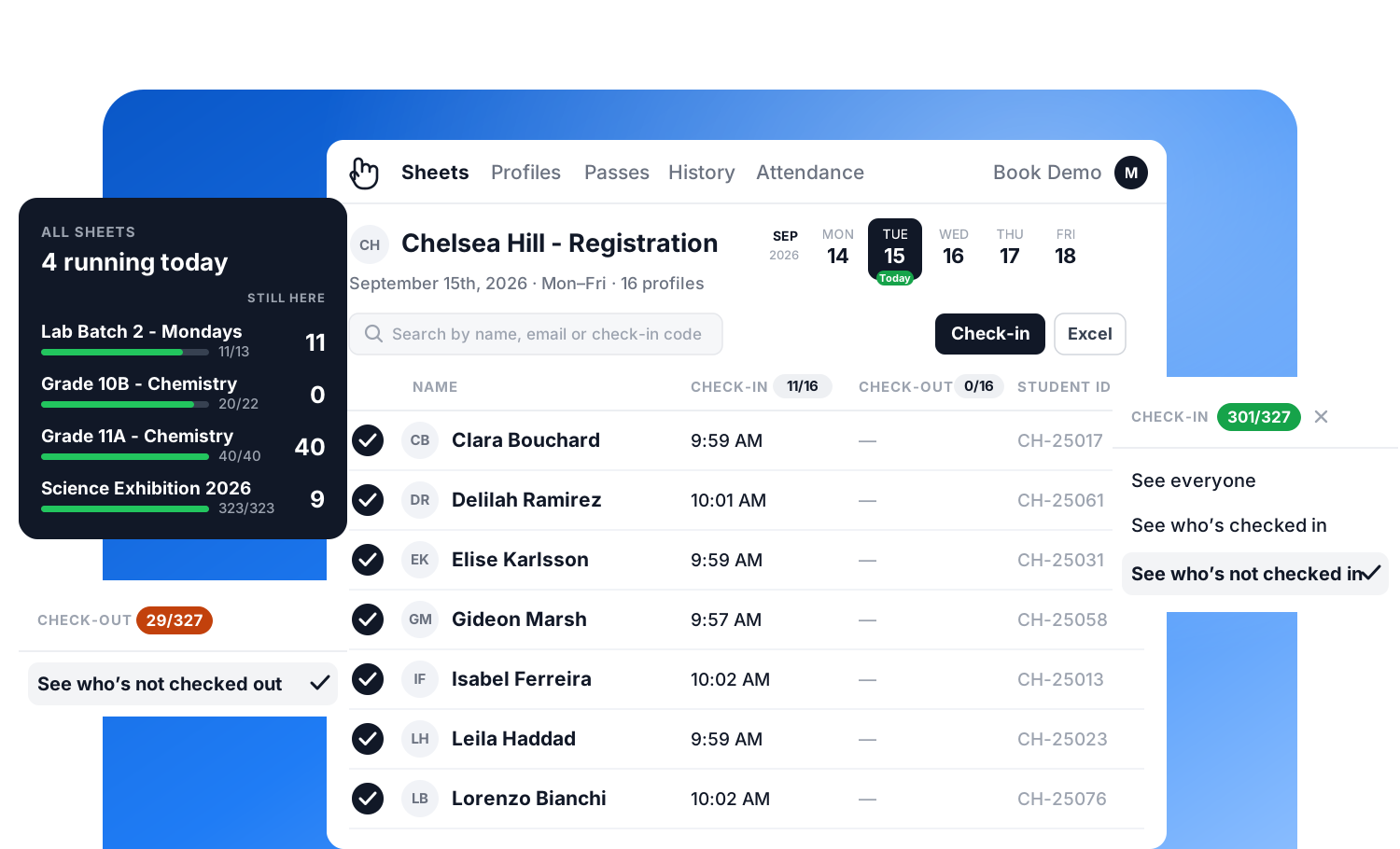
- QR and self-service kiosk check-in, no app download for kids or parents
- Check-in and check-out timestamps, with total hours per student
- Emergency accountability: see who is in the building at any moment from any device
- Checkout notes for who picked a child up, useful for custody and pickup rules
- Timestamped logs by time window for incident investigation or accountability
- One-click export by person, program, or date for grant reports
- Real-time view across iPad, iPhone, and web for multi-room programs
- Separate sheets for student check-ins, volunteers, and programs under one account
● Where it may not fit
- Not a full childcare management system: tuition billing and parent messaging are not its focus
- If you need invoicing, payments, and a parent communication feed in one place, a suite may suit you better
- Attendance records support billing, but OneTap does not process payments itself
Why after-school teams choose it
Want to see how OneTap handles after-school check-in to track kids for safety and grant reporting?
2. EZChildTrack
✓ Strengths
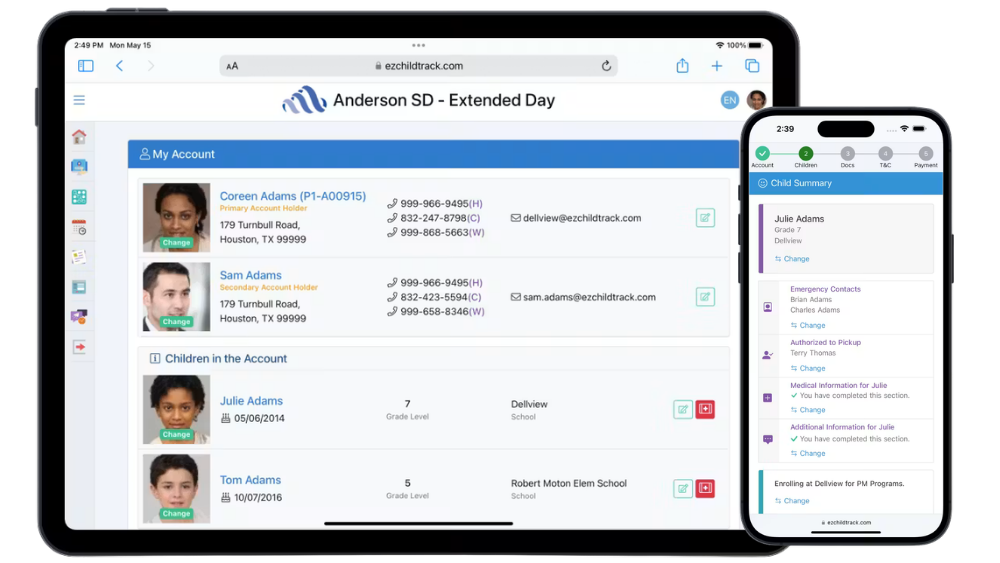
- QR code check-in and check-out: parents set it up once on their phone
- Biometric, badge scan, and PIN check-in options
- Automatic billing for late pickup fees and hourly attendance
- Parent portal for registration, payments, and account access
- Integrates with EZReports for 21st CCLC grant programs
● Where it may not fit
- More complex setup than a check-in-only tool: staff learning curve takes longer
- More features than a small or informal enrichment program needs
- No separate volunteer tracking alongside student attendance
Why a team might choose it
3. AfterSchool HQ

✓ Strengths
- Built for after-school programs, not repurposed from daycare software
- QR code and PIN check-in and check-out
- Multi-site management and reporting across locations
- Activity and program scheduling alongside daily attendance
- Registration-linked payments with multiple billing models
● Where it may not fit
- More complex setup than simpler check-in tools
- Billing is less deep than EZChildTrack or Procare
- Better fit for structured nonprofit programs than small informal enrichment
- No separate volunteer tracking alongside student lists
Why a team might choose it
4. Brightwheel
✓ Strengths
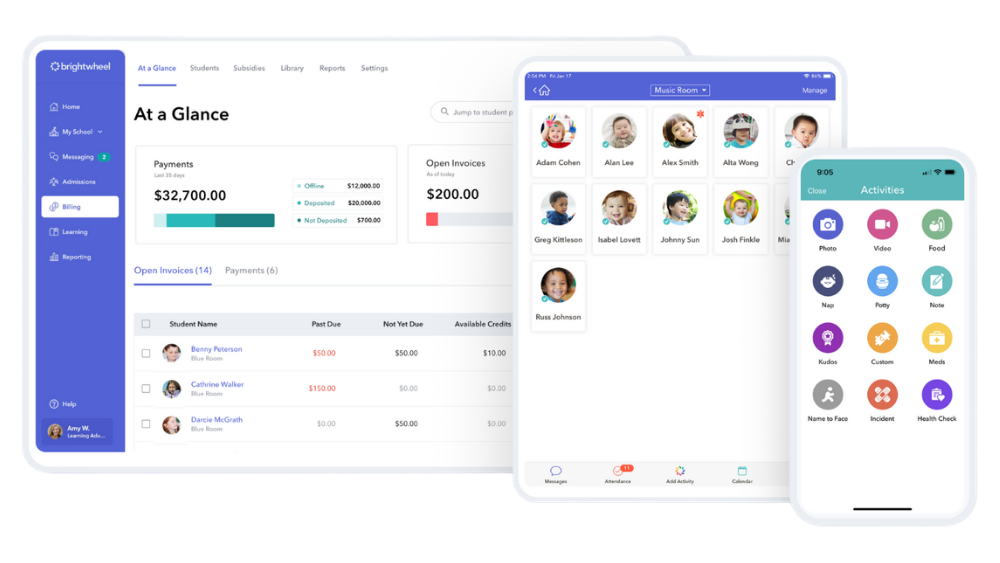
- Digital check-in and check-out with parent-facing daily updates
- Billing and parent messaging built in
- Designed around licensed-childcare workflows
- QR code, PIN, and photo confirmation at pickup
● Where it may not fit
- A standalone after-school program may not need the full daycare feature set
- More to set up and learn than a check-in-only tool
- No separate volunteer tracking alongside students
Why a team might choose it
5. Procare
✓ Strengths
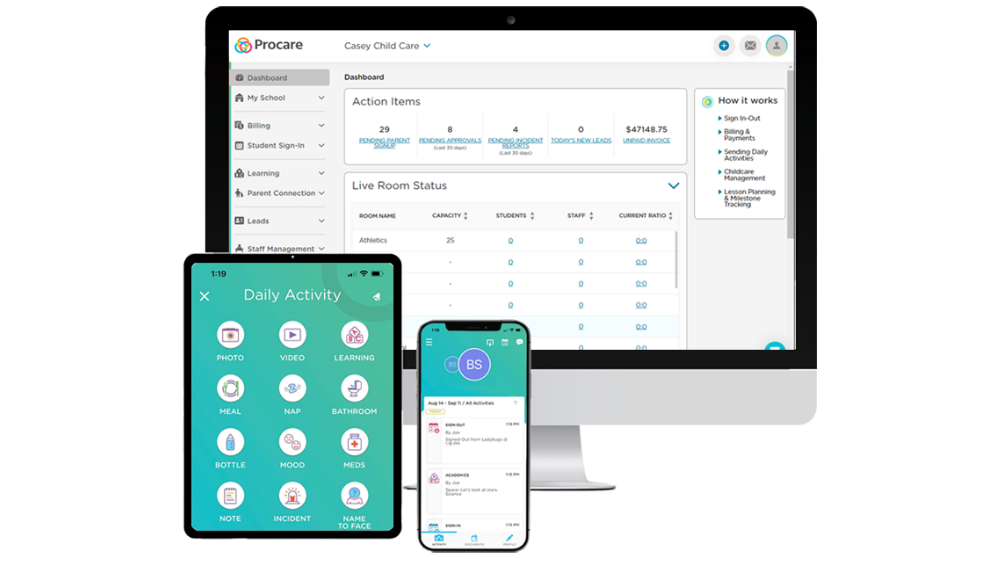
- Comprehensive attendance, billing, and compliance in one system
- Kiosk check-in and check-out with PIN and barcode
- Multi-site management for school districts and larger organizations
- Subsidy billing and state licensing compliance
● Consideration
- Complex implementation: setup takes weeks, not days
- Designed for licensed care settings, not informal enrichment programs
- More than a small nonprofit or volunteer-run program needs
- No separate volunteer tracking
Why a team might choose it
6. EZReports

✓ Strengths
- Purpose-built for 21st CCLC federal grant compliance
- Generates GPRA, APR, and GPR reports automatically with built-in data checks
- Used by 9 state DOEs and 5,000-plus organizations
- Integrates with EZChildTrack for combined attendance and billing
● Consideration
- Not a general attendance check-in tool: specialized for grant compliance only
- Attendance tracking via mobile app or badge scan, not a QR kiosk system
- If you do not receive 21st CCLC funding, this is not the right tool
Where it may not fit
7. Sawyer
✓ Strengths
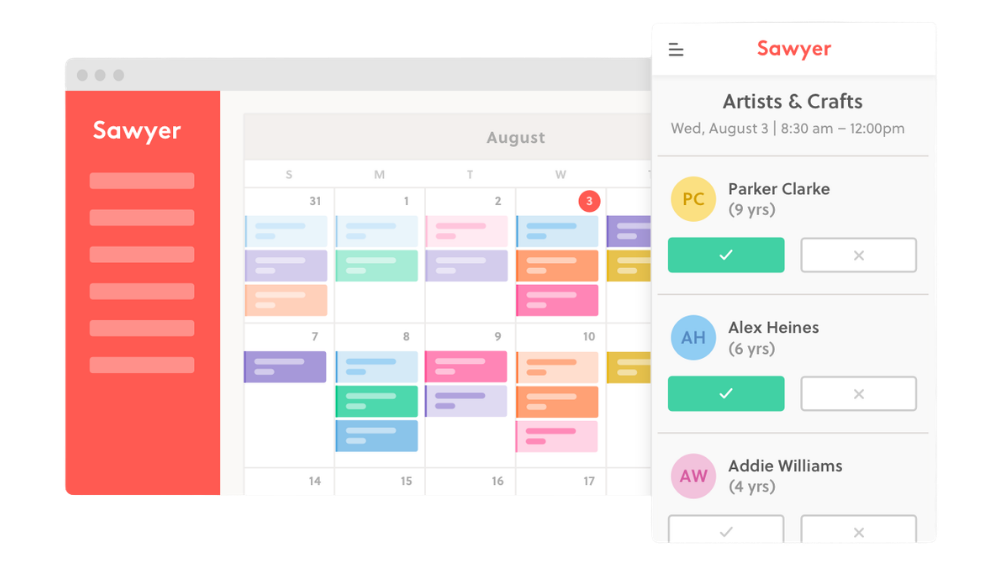
- Online registration and payment: parents book directly from a program website
- Monthly and batch billing, payment plans, ACH, and sibling discounts
- Class scheduling and session management
- Invoicing for late pickup fees and one-off items
● Where it may not fit
- Attendance is roster-based: not built for high-volume daily drop-off with QR or kiosk
- No timestamped checkout records for billing or pickup accountability
- Not suited for programs that need grant compliance exports
Why a team might choose it
Daycare, preschool and childcare centers have one extra requirement
Childcare adds one thing on top. State licensing.
Licensing inspectors ask for records that paper sign-in sheets almost never survive: who was present on a specific date, what time each child arrived and left, who signed them out, and whether staff-to-child ratios held during that period. A licensing visit is retrospective. It asks about a Tuesday in March, and the answer has to be retrievable months later.
What this means when you evaluate a tool:
- Check-out has to be its own record. Not a bulk end-of-day action. A separate timestamp, per child, with the person who collected them recorded.
- Records must survive staff turnover. If the only person who knows what happened is the coordinator who left in June, you do not have records.
- Exports need a date range, not just a current view. Licensing questions are always about the past.
- Ratio evidence comes from staff attendance too. If you only track children, you cannot show the ratio held.
Brightwheel and Procare are built around the full childcare operation, including billing, parent messaging and state reporting, and are the stronger fit if you need all of that in one system. OneTap covers the attendance and check-out record itself, including staff and volunteer lists tracked separately from children, for programs that already have billing handled elsewhere or do not need it.
When spreadsheets and Google Forms stop working
Fine when...
- One room, one staff member, under 25 kids
- Reporting is light and infrequent
- No billing or late-fee tracking required
- No grant reporting or compliance obligations
- One person owns the data and keeps it current
They break when...
- Multiple programs, rooms, or staff entering data separately
- You need to know right now who is in the building
- A grant report is due and data needs to be accurate and formatted
- Billing depends on timestamped check-in and check-out records
- A parent calls asking who picked up their child
- A paper sheet goes missing or staff turns over
How to choose the right attendance app for your program

Do you need check-out records, not just check-in?
If students leave at different times, if billing depends on time spent, or if you need to verify who a child left with, you need check-out timestamps. Eliminate any app that only records arrivals.
Do you need a record of who picked up each child?
Custody arrangements, authorized pickup lists, and pickup liability all require a log of who signed a child out. Look for apps with checkout notes, guardian fields, or signature capture.
Do non-technical staff or volunteers run check-in daily?
The app has to work without a training session. Test it with your least tech-confident staff member before committing.
Do you report attendance to a grant agency or funder?
Ask every vendor exactly how their export works. If you receive 21st CCLC federal funding specifically, look at EZReports. It handles the APR and GPRA reporting requirements that no other tool on this list is designed for.
Do you charge by the hour or apply late-pickup fees?
Those timestamps need to be recorded automatically, not estimated at the end of the day. A five-minute rounding error across 200 students is a billing dispute waiting to happen.
Do you need real-time visibility across multiple rooms or devices?
The front desk and the classroom teacher need to see the same roster at the same moment. An app that syncs on a delay creates handoff problems at exactly the wrong time.
Do you track volunteers separately from students?
Mixed sheets corrupt attendance data and make volunteer hour reporting unreliable. Check that the tool supports separate populations in the same account.
Do you also need billing, invoicing, or parent payment processing?
This is the single biggest fork in the road. If yes, look at EZChildTrack, Brightwheel, or Procare. If no, a focused check-in app is simpler and faster to set up.
Quick rule of thumb
Which app is right for your program?
How OneTap works for after-school programs
Kid safety and pickup records
Know who is in the building. Know who picked them up.
If a custody arrangement requires a signature, it is captured on checkout. If an incident happens, you can pull everyone who was checked in during any specific time window, whether that is the hour a piece of equipment went missing or the afternoon a child was injured.
Grant reporting and admin exports
One export. No manual formatting.
The data your staff recorded in real time is the data that goes to the housing authority or the federal Department of Education.
Billing timestamps and late fees
Timestamps, not memory.
Multi-staff and multi-room coordination
Every staff member, same live sheet.
The classroom teacher sees the checkout in real time. No radio call needed. No spreadsheet that is two hours out of date. Students stay on one sheet. Volunteers stay on a separate sheet. The reporting data stays clean.
Common questions from after-school teams
There is no single best answer because programs have genuinely different needs. For programs moving off paper or Google Forms that need QR or kiosk check-in, timestamped check-out records, and clean exports for grant reporting, OneTap is a practical, fast-to-set-up option.
For programs that need billing and payments alongside attendance, EZChildTrack or Brightwheel are worth evaluating. For 21st CCLC federal grant recipients specifically, EZReports is purpose-built for that compliance workflow. For enrichment class businesses where registration is the primary need, Sawyer handles that well.
The right choice comes down to three questions: Do you need check-out tracking? Do you need grant-ready exports? Do you need billing and payments in the same system?
Yes, and QR code check-in is one of the fastest methods for busy drop-off and pickup times. A parent or student scans a QR code on a tablet or phone, and the check-in is recorded with a timestamp instantly, with no staff involvement per student.
This works particularly well at front-desk kiosks during drop-off when multiple families arrive at once. OneTap supports QR code check-in and check-out for both students and volunteers. EZChildTrack lets parents generate a QR code from their phone for touchless check-in and check-out that reuses every session.
The most reliable method is a tablet kiosk at the entrance running a check-in app with a pre-loaded student roster. Students or parents check in on arrival and check out when they leave, both with automatic timestamps. Staff can also check students in or out manually from any connected device.
The critical requirement is tracking check-out separately from check-in. Not as a general end-of-session action. Separately, with a timestamp. Paper sign-in sheets record arrival but almost never capture checkout times reliably.
OneTap handles both check-in and check-out from any device in real time, with the total hours per student visible in the export without any manual calculation.
Yes, and for most after-school programs this is the most valuable capability. A purpose-built attendance app keeps timestamped records for every student and every session, then lets you export filtered attendance data by date range, student, or site in a format that is ready to submit.
What normally takes hours of manual tallying from paper logs becomes a one-click export. For programs funded through the 21st CCLC federal grant specifically, EZReports handles the entire Annual Performance Report and GPRA data process.
For programs reporting to other agencies, including housing authorities, state departments of education, and foundations, tools like OneTap and EZChildTrack produce clean exports that satisfy most reporting requirements without manual reformatting.
For a very small program, under 25 students, one staff member, no grant reporting, and no billing, Google Forms works fine. The problems start when you need more. There is no check-out tracking, so you cannot record who picked up a child or calculate billing hours.
Data has to be manually transferred to a spreadsheet for any analysis. There is no real-time visibility across rooms or devices. And grant exports require manual reformatting every reporting cycle.
One coordinator described it directly: "Transferring the information from the Google Form to our actual tracker sheets is pretty manual right now, and just following up on who's not here is quite time consuming." Most programs that start with Google Forms outgrow it within the first program year.
For most after-school programs, the most practical replacement is a tablet kiosk running a check-in app at your front entrance. Students or parents check in on a screen rather than signing a paper list. The check-in is timestamped, synced in real time across all staff devices, and available to export at any point.
The main advantage over paper is not just speed. It is that checkout times, pickup verifications, and grant-ready exports become possible at all. Programs typically complete the transition from paper in one day.
With OneTap, import your existing roster from Excel, configure the kiosk, and staff check students in the same way they always have, just on a screen instead of a clipboard.
Attendance apps with checkout tracking record not just when a child left, but who signed them out. This matters for programs where a child may be picked up by a parent, grandparent, carpool partner, or another authorized guardian.
For programs with custody arrangements, where you must be able to show which parent or guardian picked up a child on which date, a timestamped checkout log with the pickup person recorded is a legal record, not just an administrative note.
One school director described the need directly: "We have very different family structures. Like with two households we have to abide by custody hearings. And so we need the evidence of who's picking up on their correct dates." Paper logs are unreliable for this. OneTap records a digital checkout note with a timestamp and supports optional signature capture on checkout, creating a signed, dated record of each pickup.
The five capabilities that matter most: check-in and check-out both tracked with automatic timestamps; real-time roster visibility across all staff devices; clean, filterable exports for grant reporting or billing; fast enough for high-volume drop-off without creating a line; and simple enough that part-time staff and volunteers can use it without training.
Billing, parent communication, and compliance reporting are important secondary features depending on your program type, but they are secondary to these five. Tools with too many features often fail the simplicity test for daily use, which is when the coordinator is not in the room and a volunteer is running check-in.
OneTap is built around these five criteria specifically: fast QR or kiosk check-in, real-time visibility across all devices, one-click grant exports, same-day setup, and a daily workflow simple enough for any volunteer to use without instruction.
They should not need any training for basic check-in and check-out. The best attendance apps for after-school programs are designed to be used by distracted teachers, part-time staff, and volunteers who were never consulted about the software choice.
The practical test: if a staff member who has never seen the app before can check a student in or out in under 10 seconds on their first try, the app is usable. If they need to be shown how first, that is friction that breaks down the moment the coordinator is not present. With OneTap, the initial setup takes most programs under an hour: import your roster from Excel, configure your rooms, and the account is ready. From that point, daily check-in and check-out requires nothing from teachers or volunteers except tapping a name or scanning a code.
The cost of a tool that does need training is not the training itself. It is that the cost repeats with every new hire, every substitute, and every volunteer who covers a shift at short notice.
Yes, if the tool supports it. Programs that use volunteers alongside students need separate attendance sheets in the same account so that volunteer hours are tracked cleanly without contaminating student attendance records. Mixing volunteers and students in the same sheet corrupts reporting because the records are used for different purposes: student attendance goes to grant agencies and billing, volunteer hours go to board reports and program accountability.
OneTap supports separate sheets for students and volunteers under one account. If volunteer hour tracking is a reporting requirement for your program, confirm that any tool you evaluate handles this before committing.