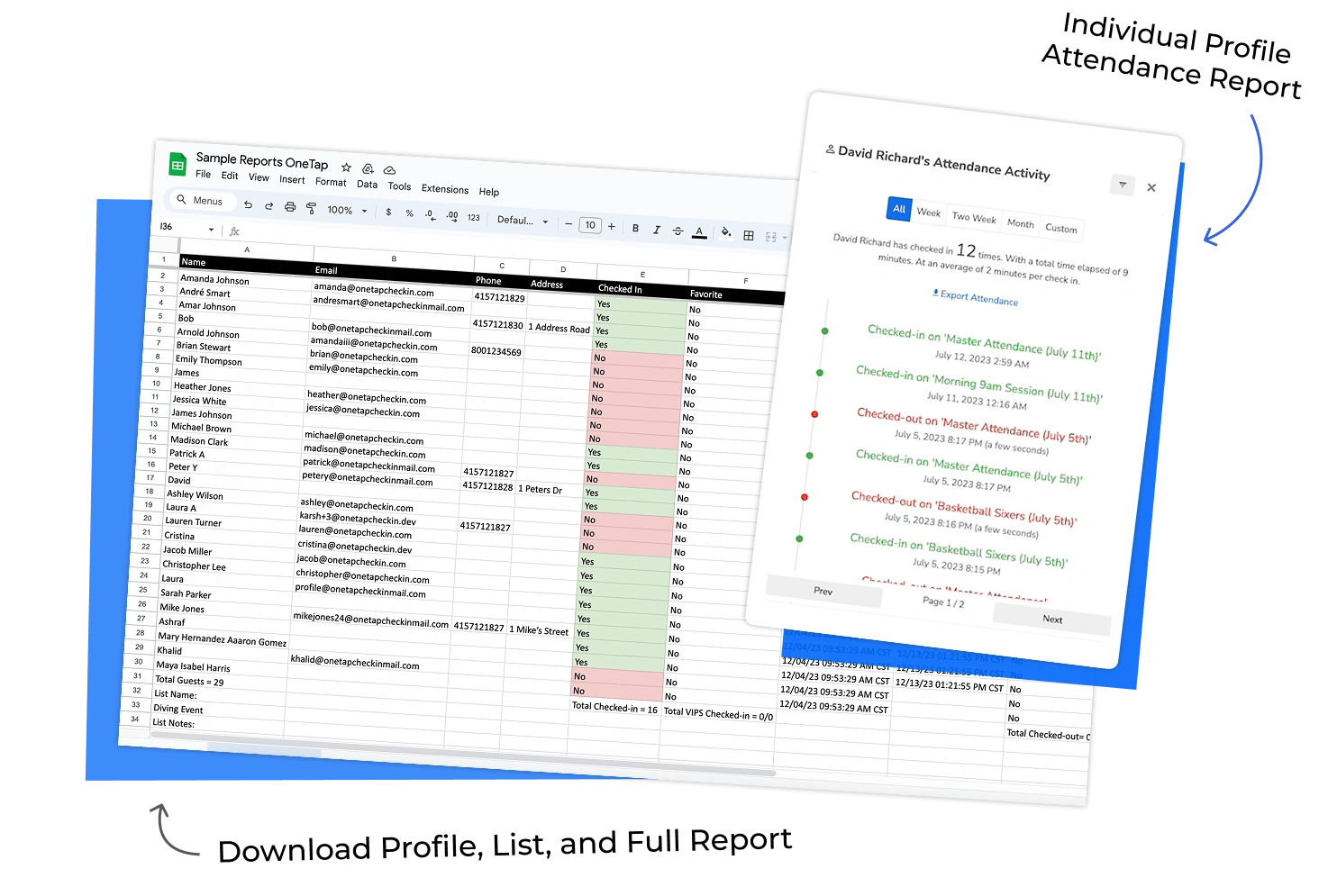
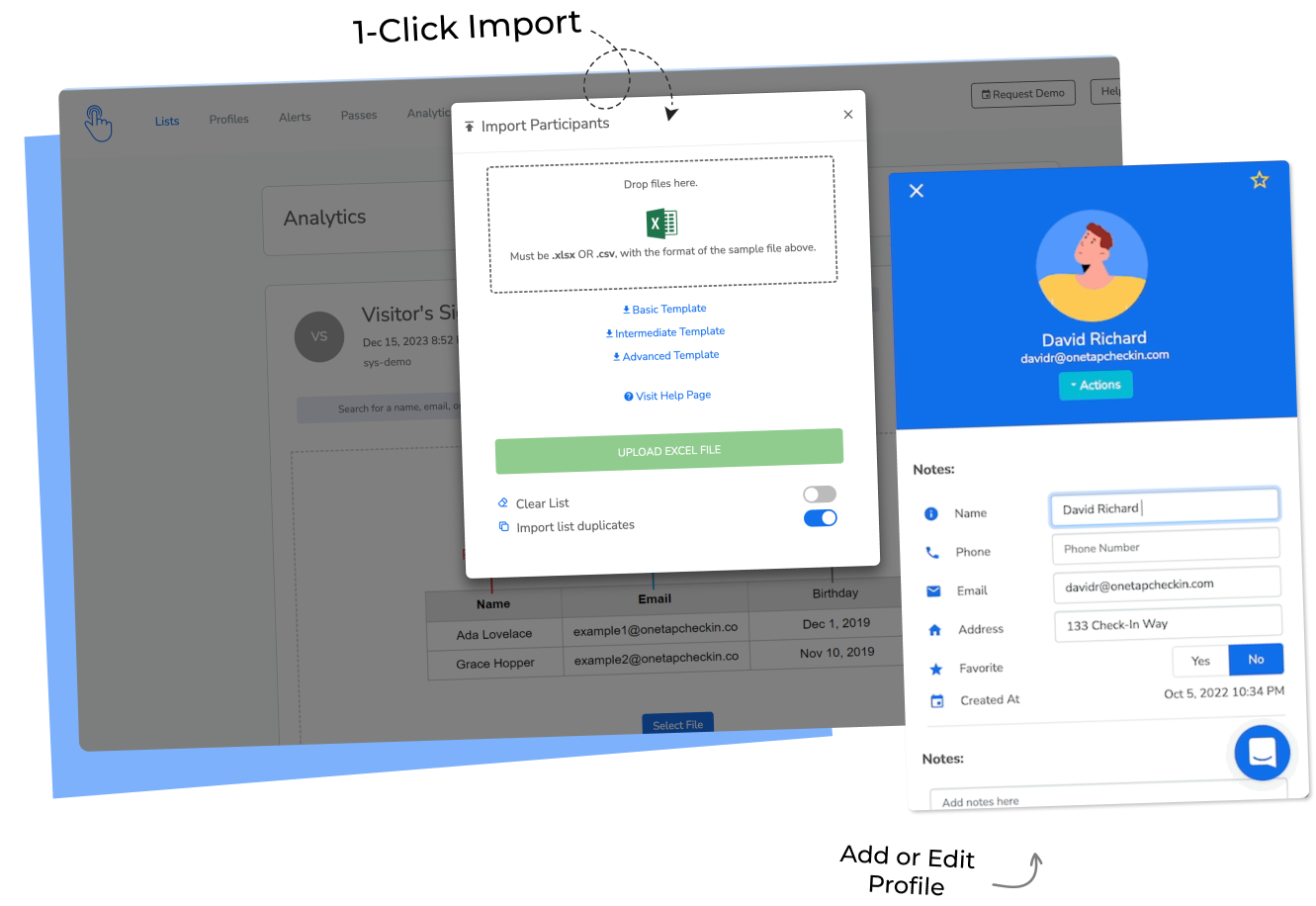
Clockify is excellent at what it was built for: tracking how your team spends time across projects, tasks, and clients.
If you bill by the hour, need project budgets, or want to know that Maria spent 3.5 hours on the Henderson proposal - Clockify is the right tool.
OneTap is built for a different job: verifying who was physically present at a location, when, and for how long - with verification layers that prevent buddy punching attendance and generate audit-ready records.
These tools don't compete. They solve different problems. The question is which problem you're trying to solve.
Let's compare OneTap and Clockify head-to-head so you can choose the right tool for your use case.
Which Tool Fits Your Team? Answer in 10 Seconds.
Start OneTap for Free →Still comparing? Read the full breakdown below.
OneTap vs. Clockify at a Glance
Here is a quick summary of OneTap vs. Clockify before we get into the details:
Comparison table of OneTap versus Clockify
What is OneTap?
Every day, thousands of managers face the same frustration: they need to know exactly who was physically present at a location, for how long, and with a paper trail they can actually use.
Paper sign-in sheets get lost. Spreadsheets don't scale. And general time tracking apps like Clockify tell you how time was categorized - not whether the person actually walked through the door.
OneTap is a digital attendance tracking and check-in platform built specifically for this problem. It replaces paper sign-in sheets and manual roster processes with a verified, real-time system that tracks physical presence across any location and any device - no app download required for attendees.
It works for employee check-ins at job sites and offices, student attendance, participant tracking at training programs, member visits, guest check-ins at events and conferences, and trainee attendance at safety and certification courses.
OneTap Features
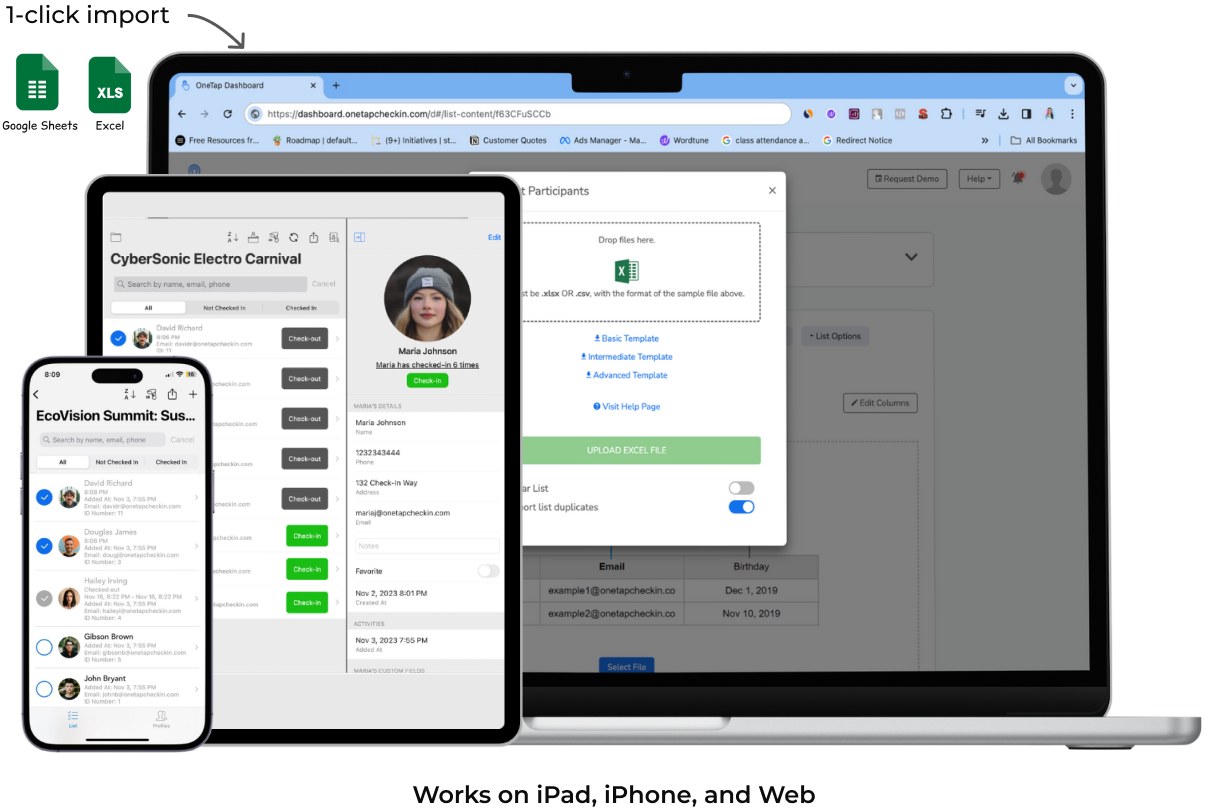
⚡️ Quick Setup: Import your people from an Excel file (or add them manually), choose your check-in method, and you are live in under 5 minutes. No hardware to buy. No IT department required. No training needed for your staff.
Here's why OneTap is the best system for accurate attendance tracking:
1. Multiple Ways to Check People In
This is where OneTap separates itself from every other attendance tool on the market - including Clockify. Your team can check in via:
.svg)
QR code scan: Print a poster, display on a screen, or distribute individual passes that work with Apple Wallet. One scan from attendee device, done.
iPad kiosk: Repurpose any iPad you already own into a branded, staffed check-in station. Your logo, your colors, your welcome message.
Self-check-in link: A shareable URL that works on any phone or computer. No app download required.
Barcode scan: Works with existing employee IDs, student IDs, or membership badges. No new cards to issue.
SMS check-in: Attendees text a toll-free code to check in. No smartphone required.
Admin check-in: A supervisor checks people in directly from the app or web dashboard.
2. Verified, Tamper-Proof Attendance
Most tools record time. OneTap verifies presence. There is a meaningful difference.
OneTap uses three independent layers of verification:
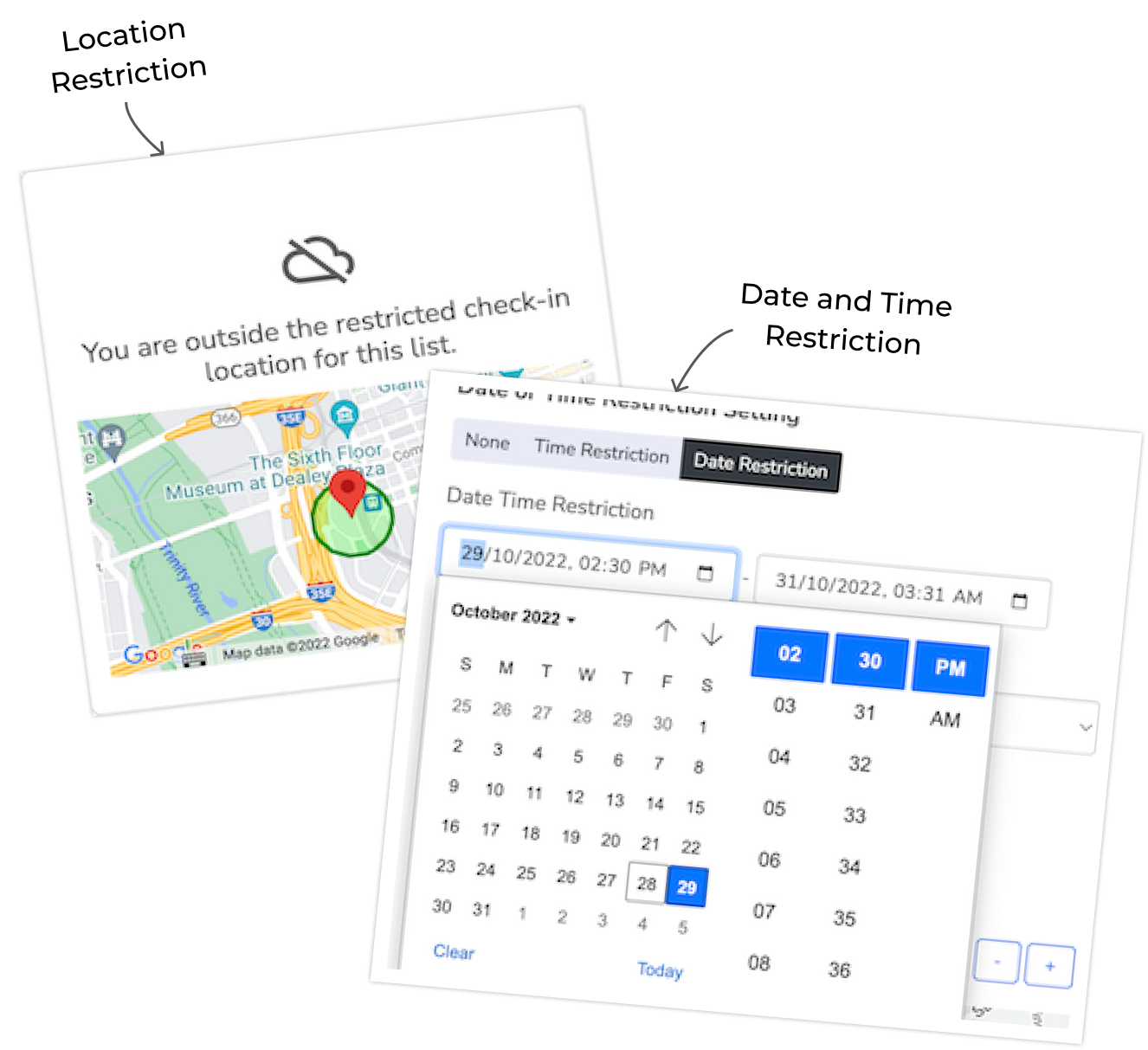
Geolocation restrictions: Set a physical boundary around your building, job site, or campus. If someone tries to check in from outside that boundary, the system blocks it. This is not GPS logging. It actively prevents unauthorized check-ins before they happen.
Time-based windows: Set the window during which check-ins are valid. Outside of it, the check-in link simply doesn't work. No early arrivals, no retroactive check-ins.
Device restrictions: Block duplicate check-ins or buddy punching using IP limits. One check-in per device for public links.
👀 Did you know? According to the American Payroll Association, buddy punching costs U.S. employers hundreds of millions annually. OneTap eliminates this risk with layered verification - location, time window, and device. Clockify's GPS tracking logs where someone was. It does not prevent them from logging time from their couch.
3. Real-Time “Who’s On Site” Dashboard
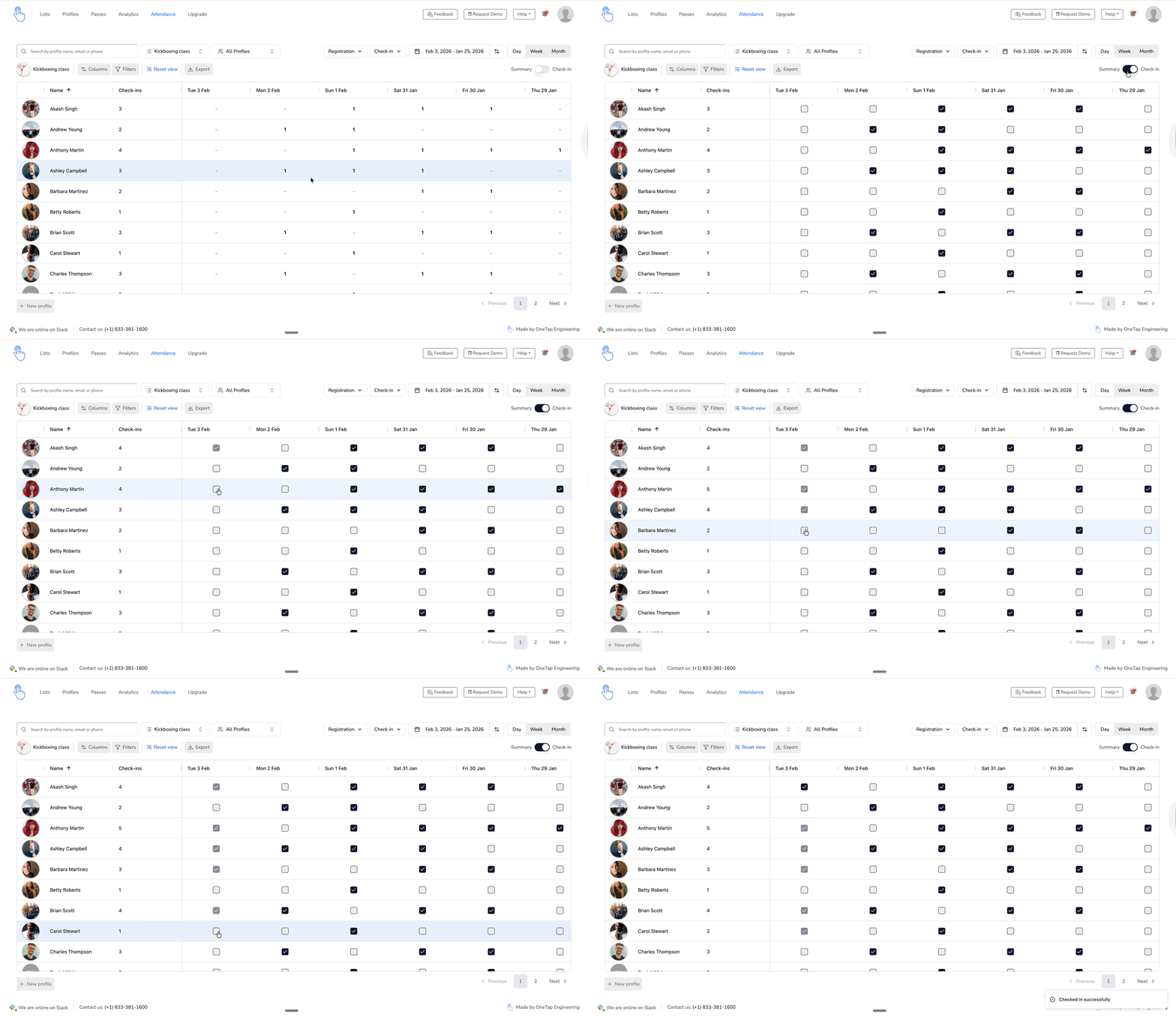
At any moment, pull up a live list of every person who has checked in. Filter by location, list, or status. This is the live operational view your safety and compliance teams need.
Building safety drills and evacuations - Know exactly who is in the building for an accurate headcount, in real time.
OSHA and compliance audits - Prove who attended required safety training sessions, with timestamps.
Multi-site management - See attendance across all your locations from a single dashboard.
Clockify shows you who currently has an active timer running. It cannot show you who is physically present at a location.
4. Audit-Ready Reports
Every check-in is recorded with a timestamp, location, check-in method, and device.
Download clean Excel reports organized by person, date, session, or program - formatted for the audiences that require them: OSHA safety inspectors, CEU/CME boards, grant administrators, academic registrars, and workforce program auditors.
Clockify generates time reports organized by project, client, and task - built for billing and productivity analysis, not compliance or accreditation documentation.
5. Multi-Device Collaboration
Invite team leads, supervisors, and front-desk staff as collaborators. Multiple devices can run check-ins simultaneously and more than 15 devices syncing to the same list in real time.
Every check-in records which collaborator performed it, making it easy to audit and delegate.
6. Profile Database with Complete Attendance History
Every person in OneTap has a profile: name, contact information, custom fields (employee ID, department, certification dates, emergency contact), and a complete check-in history dating back to day one.
Search through thousands of profiles in seconds. View any individual's complete attendance timeline with one click. Export individual records for compliance documentation or employee review.
🚀 Results: One IT administrator reduced attendance processing time by 2 hours per week after switching from manual spreadsheets to OneTap.
OneTap Pricing
OneTap charges a fee based on the number of profiles in your account. This is fundamentally different from Clockify's per-user pricing, and it creates a significant cost advantage for any organization with more than 50 people.
With Clockify, every person who logs time is a paying user. With OneTap, your entire workforce - employees, students, attendees, guests - can check in under a single flat-fee plan.
Free
$0
per month, billed yearly
For up to 20 profiles
Basic
$49.99
per month, billed yearly
For up to 250 profiles and recurring list
Standard
$69.99
per month, billed yearly
For up to 500 profiles and integration
$99.99
per month, billed yearly
For up to 1000 profiles & collaborator access
Get StartedCustom
$200+
per month, billed yearly
For 1000+ profiles & SSO Login
What is Clockify?
Clockify is a time tracking and timesheet application - one of the most widely used in the world. It's built for teams that need to understand how their work hours are distributed across projects, clients, and tasks.
Freelancers, digital agencies, consultants, and project-driven businesses use it to log hours, generate invoices, and manage project budgets.
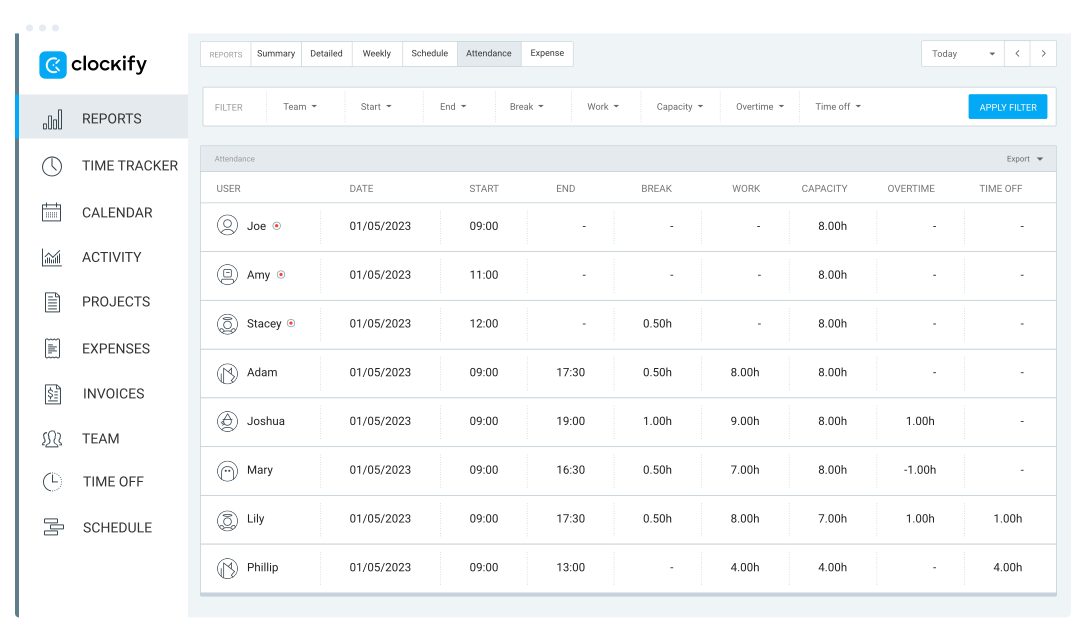
image source: clockify
It is an excellent tool for what it was designed to do. The important distinction is what it was not designed to do: verify physical attendance, prevent proxy check-ins, or generate records for training programs and licensing boards.
Clockify Features
Take a look at Clockify’s most popular features from easy time tracking to improve productivity and help projects stay on schedule.
1. Time Tracking
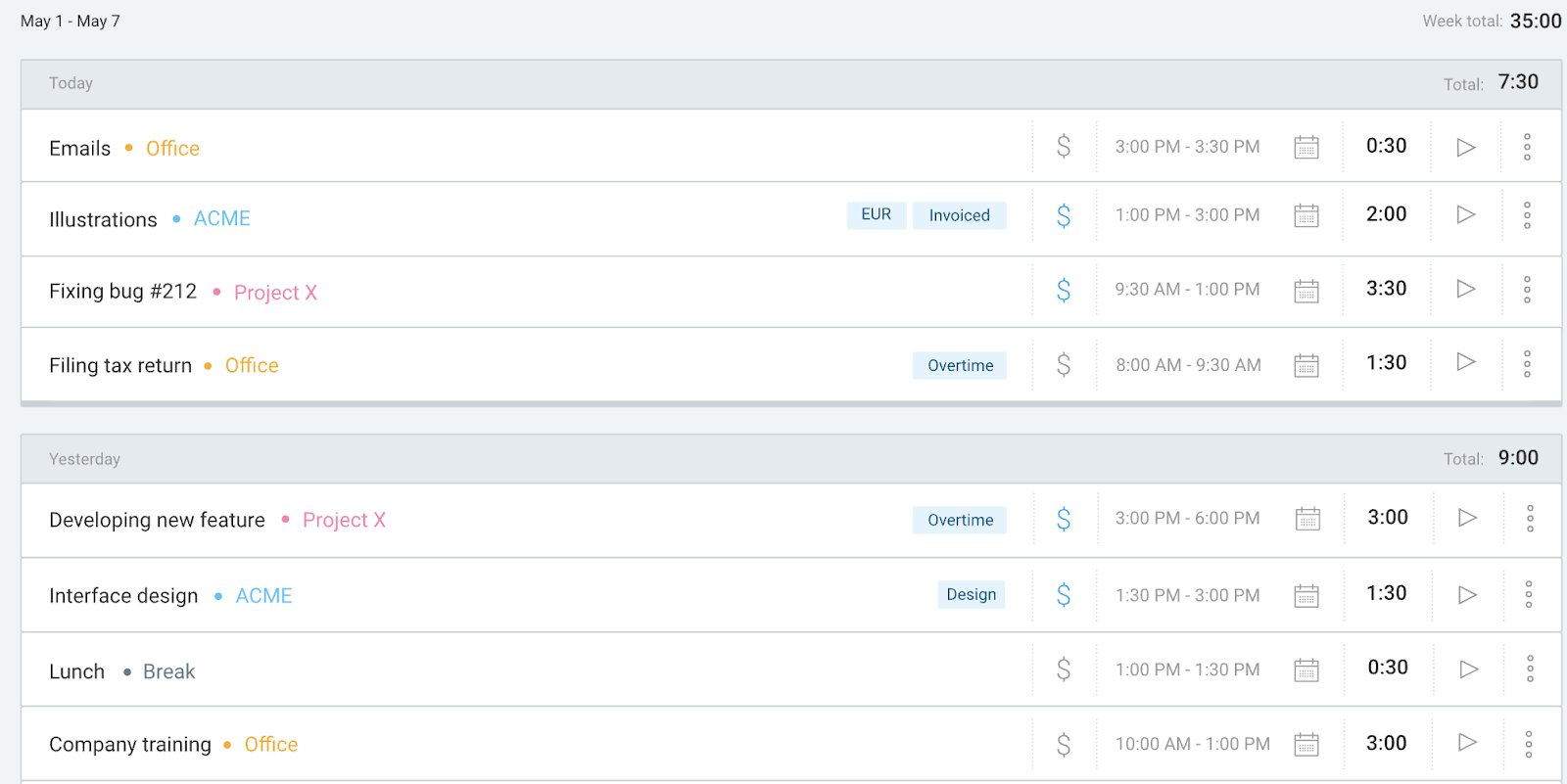
image source: clockify
Clockify's core feature: track hours per project, task, and client. Start a timer with one click, switch between tasks, add manual entries, and categorize everything by project, client, and tags. Four tracking modes are available:
Stopwatch timer: Click play, work on your task, click stop. The entry is logged with the project, client, and tags you've selected.
Manual entry: Add time after the fact by typing in the start and end time. Useful for people who prefer to log at the end of the day.
Calendar timer: Visualize your day in time blocks. Drag to create entries, resize to adjust. Syncs with Google Calendar or Outlook.
Pomodoro timer: Work in focused 25-minute intervals with built-in breaks.
📌 Keep in Mind: Clockify's time tracking requires each user to actively start and stop timers, or remember to log time manually. It relies on self-reporting.
For organizations that need verified proof of physical presence - not self-reported hours - this is a fundamental limitation.
2. Auto Tracker
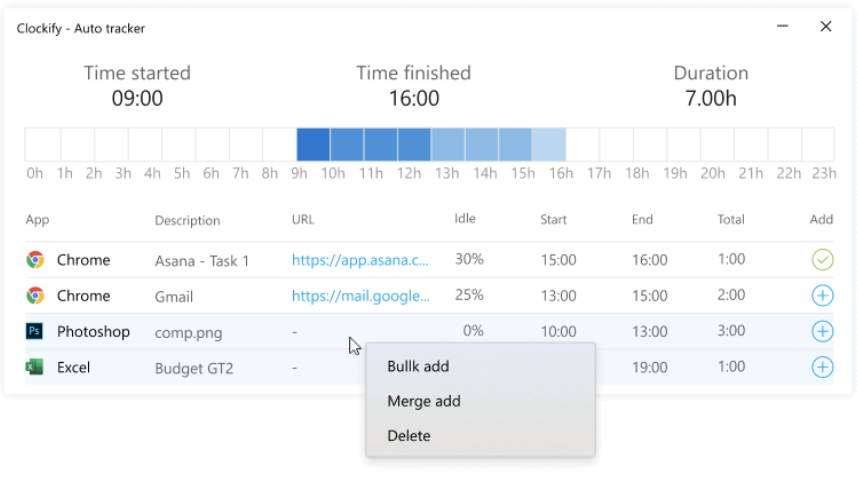
image source: clockify
Available on the desktop app. Auto Tracker runs in the background and records which applications, websites, and documents you spend time on. It doesn't create time entries automatically - instead, it gives you a timeline you can review and convert into logged entries at the end of the day.
Clockify also includes idle detection: if your computer has been inactive for a set period, the app prompts you to discard that idle time from your current entry.
3. Kiosk Mode
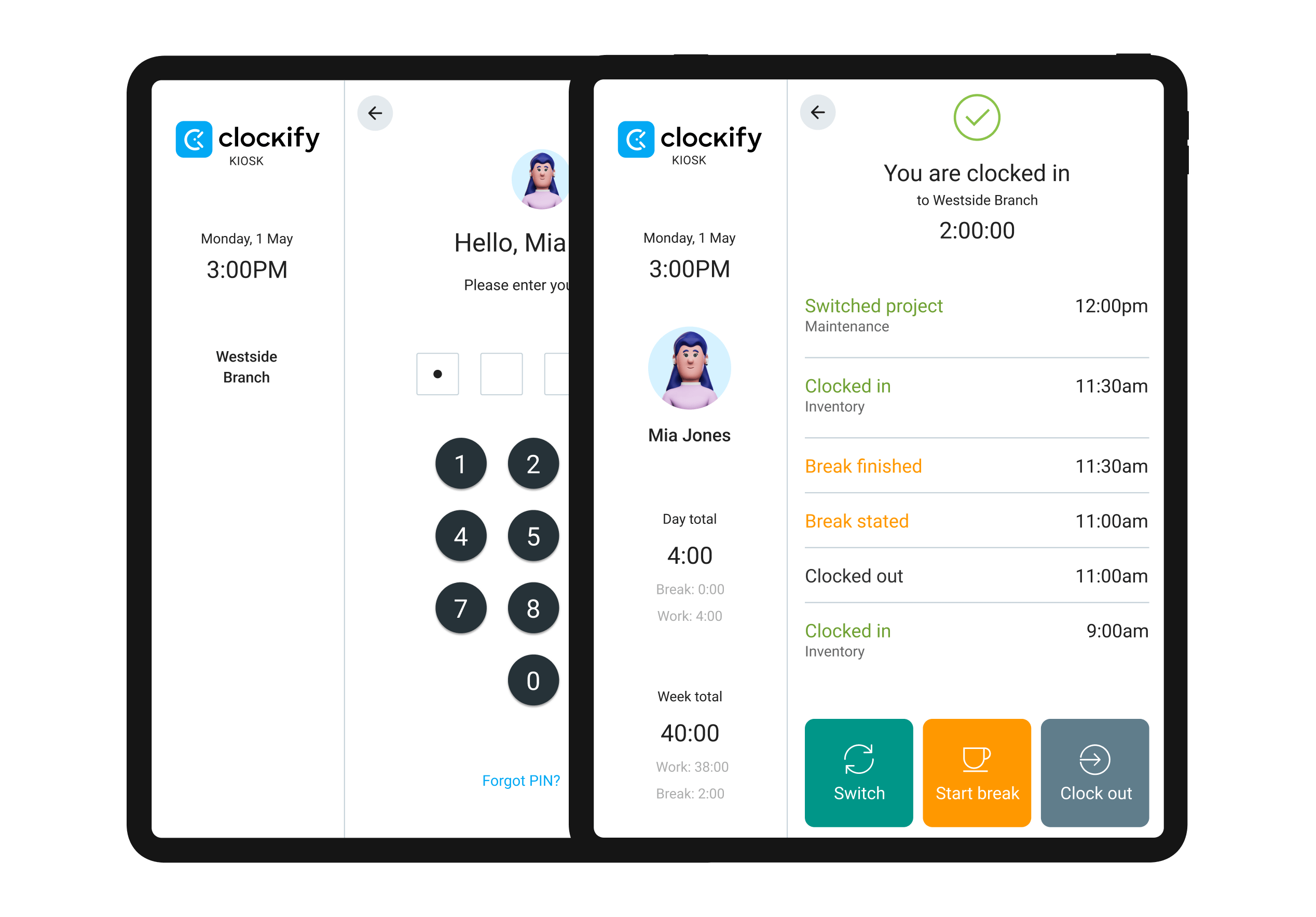
image source: clockify
Kiosk mode turns any shared device into a clock-in and clock-out station. Employees select their name or enter a 4-6 digit PIN to punch in. On the Pro plan and above, employees can also use a personal QR code.
This is primarily designed for on-site teams at offices, warehouses, or retail locations where not everyone has a personal computer. The kiosk tracks start time, end time, and breaks for each employee.
📌 Keep in Mind: Clockify's kiosk is a PIN-based clock-in tool. It does not scan existing employee ID badges or barcodes. It does not support self-check-in links or Apple Wallet passes. It cannot restrict check-ins by geolocation - meaning an employee at the wrong location can still clock in.
If these capabilities matter to your team, OneTap's kiosk was built for them.
4. GPS Tracking
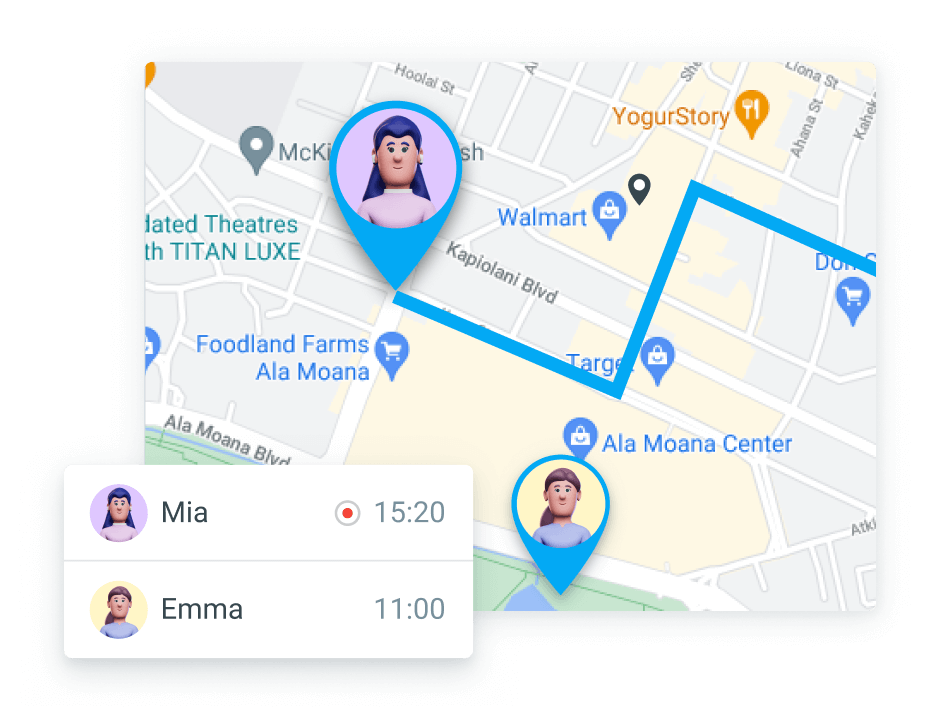
image source: clockify
Clockify records the GPS location of each clock-in and clock-out event on mobile. Managers see a map view of where each employee was when they logged time.
This is useful for field teams and delivery services who want to confirm general location - after the fact.
📌 Keep in Mind: Clockify's GPS is reactive, not preventive. It records where someone was when they started the timer. It does not block a clock-in from an unauthorized location.
An employee could start a timer from home, and the system would log that location without raising a flag.
OneTap's geolocation restriction operates the other way - the check-in simply does not work if the person is outside the defined boundary.
5. Integrations
Clockify connects with 80+ tools, making it easy to embed time tracking into existing workflows:
Project management - Jira, Asana, Trello, Basecamp
Communication - Slack (start timers directly from Slack messages)
Development - GitHub, GitLab
Accounting and invoicing - QuickBooks, Xero, FreshBooks
Scheduling - Google Calendar, Outlook
Automation - Zapier and REST API for custom integrations
This integration depth is Clockify strength - particularly for teams that live in project management and accounting tools.
Clockify Pricing
Clockify's free plan is genuinely generous - unlimited users and projects for basic time tracking. Paid plans are billed per user per month (annual billing):
Free: Unlimited users, unlimited projects, basic time tracking, kiosk mode, basic reports
Basic: $3.99/user/month - $3.99/user/month - time audits, admin controls, custom exports
Standard: $5.49/user/month - time off, invoicing, timesheet approvals, attendance reports
Pro: $7.99/user/month - GPS, scheduling, screenshots, productivity tracking
Enterprise: $11.99/user/month - SSO, audit log, full feature set
Important: Clockify's per-user pricing scales with every person who needs to track time. For organizations with large headcounts, this adds up quickly. See the cost comparison in the OneTap Pricing section above.
OneTap vs. Clockify: Full Feature Comparison
Now, let’s break down the features of OneTap and Clockify to see which attendance tracking software suits your needs best. Below is a side-by-side comparison:
Here’s a closer look at the category’s features and the top pick.
1. Attendance and Check-in
There is no comparison here. OneTap was built for one purpose - getting people checked in accurately and efficiently, at scale, across any setting. It offers six check-in methods (QR, barcode, iPad kiosk, self-check-in link, SMS, and admin check-in), three layers of fraud prevention, a visitor management system, real-time presence dashboards, and signature/photo/survey capture at check-in.
Clockify offers a timer started by the user, and a PIN kiosk. It is not positioned as an attendance system and does not try to be one.
✅ Winner: OneTap for any organization that needs verified physical attendance.
2. Time Tracking
Clockify was built for time tracking. This is its core product and it excels at it: project-based tracking, billable hours, multiple hourly rates, timesheets, invoice generation, and productivity reporting. There is nothing OneTap can offer that competes with Clockify on this dimension.
The distinction to understand:
OneTap tells you Maria was here from 9:02 AM to 10:30 AM - physically present, verified, on record.
Clockify tells you Maria worked 3.5 hours on the Henderson proposal and 2 hours on internal meetings.
Neither data point replaces the other. They serve different management purposes. If you need to bill a client, Clockify's data is what you need. If you need to prove to an OSHA inspector that Maria attended the safety training - Clockify cannot give you that. OneTap can.
✅ Winner: Clockify for project billing, timesheets, and productivity analysis.
3. Reporting
OneTap generates attendance-specific reports: who attended, when, how often, total hours present, broken down by person, date, session, or program. These reports are formatted for the audiences that require them: OSHA safety inspectors, CEU/CME licensing boards, grant administrators, academic registrars, and workforce training program auditors.
Clockify generates time-specific reports: hours per project, per client, per team member. These reports are built for billing, budgeting, invoicing, and productivity analysis.
Both are excellent reporting systems - for entirely different data sets.
✅ Winner OneTap: for attendance and compliance documentation. Clockify for project billing and productivity reporting.
4. Ease of Use
OneTap is designed around a single principle: attendees should be able to check in with zero training, and administrators should be live in under 5 minutes. Upload an Excel file with your attendees (or add them manually), choose your check-in method, and you are live.
OneTap is consistently described as the most frictionless attendance tool teams have used - primarily because attendees don't need to download anything.
Clockify's basic time tracking is quick to learn. However, getting real value from the platform - setting up project structures, configuring billable rates, and mastering the reporting interface take more time.
For a freelancer tracking their own hours, this is trivial. For an organization managing 50+ people's time across 20 projects, it requires dedicated configuration.
✅ Winner: OneTap for simple attendance workflows. Clockify for basic time tracking.
5. Security and Verification
OneTap's security model is built around preventing fraudulent check-ins before they happen:
The right tool depends entirely on the problem you are solving.
Geofencing - Check-ins outside the defined geographic boundary are blocked.
Time windows - Check-ins outside the defined time window are rejected automatically.
Device restrictions - IP-based limits prevent one device from checking in multiple people via a public link.
Signature and photo capture - Optional identity verification at the moment of check-in.
Clockify's security model is access control and data protection - SSO, audit logs, role-based permissions. These are strong security features for a time tracking SaaS. They are not the same as attendance verification.
✅ Winner OneTap for organizations where verification of physical presence is a compliance or legal requirement.
What OneTap Customers Say

The transition to OneTap for managing our event attendees has been transformative. We've said goodbye to the tedious task of spreadsheet handling, embracing a digital approach that's both time-saving and incredibly intuitive.

Laura P., Director of Contractor Programs at Unilock
"Easy to set up, and I was able to do that in a couple of minutes"

Patrick, Boothbay Basketball Academy
"I've looked at a few different apps and there's nothing that integrates QR codes, plus location, plus time restrictions. So that's where OneTap has the advantage."

Jody W., Event Manager
"Since we implemented the OneTap iPad kiosk, queues have become a thing of the past. It's pure productivity, and our attendees love the seamless experience."

Cindy R., IT Specialist
Already Using Clockify? Switching Is Easier Than You Think
If you're a current Clockify user who has realized you need attendance verification rather than project time tracking, you don't need to do anything complicated to make the switch.
Here's how the transition works:
.png)
Export your team list from Clockify - download your user list as a CSV file from Clockify's team settings.
Import to OneTap in one step - upload the CSV directly to OneTap's profile importer. Your team is ready in minutes.
Choose your check-in method - QR code, kiosk, link, or barcode. Each takes under 10 minutes to configure.
You're live - attendees can start checking in immediately. No app required on their end.
Keep Clockify if you need it for project billing - many organizations run both tools for different purposes. OneTap handles attendance; Clockify handles billable hours.
The average OneTap setup time is under 5 minutes. There are no consultants to hire, no integrations to configure, and no training sessions to schedule for your staff.
Choose OneTap to Track Attendance
The final verdict: These are both good tools. They are just good at different jobs.
Clockify is one of the best free time trackers available. If your team bills by the hour, manages project budgets, and needs to understand how time was spent across tasks and clients, Clockify is a strong choice. It works best for freelancers, agencies, consultants, and project-driven businesses.
OneTap is the stronger choice when your challenge is attendance - knowing who showed up, when, where, and with verified data. The combination of QR codes, geofencing, kiosk mode, visitor management, and real-time visibility gives OneTap capabilities that Clockify was never designed to offer.
The decision comes down to one question:
Are you tracking attendance (who showed up) or project hours (how time was spent)?
If the answer is attendance, OneTap is the right tool for your workforce.
If the answer is project hours, Clockify is the right tool.
Frequently Asked Questions: OneTap vs. Clockify
No. Clockify tracks self-reported time entries against projects and tasks. It logs GPS location at clock-in but cannot prevent someone from logging time remotely. If you need verified proof that a person was physically at a specific location, OneTap is the right tool.
Time tracking records how someone allocates work hours across projects and tasks - it answers 'what did Maria work on?' Attendance tracking verifies physical presence at a location - it answers 'was Maria actually here, and can I prove it?' Both capture duration; only attendance tracking verifies presence.
No. Clockify cannot prevent one person from logging time on behalf of another. Its kiosk uses a shared PIN any employee could enter for a colleague. OneTap prevents this through geolocation restrictions (check-in blocked outside the defined area), time-window enforcement, and device limits.
OneTap is significantly less expensive for teams over 50 people.
Clockify charges per user, per month and every person who needs to log time requires a paid seat. At 250 people on the Basic plan ($3.99/user, billed annually), that is $997/month.
OneTap charges a flat monthly rate by profile(visitor) count. 250 profiles costs $49.99/month, billed annually.
The larger your team, the wider the gap. See the pricing comparison table above for the full breakdown.
No. Attendees can check in via a self-check-in link (opens in any browser), a QR code scan (any smartphone camera), a barcode scan using an existing ID badge, or a staffed iPad kiosk. No account, no download, no password required.
Under 5 minutes for most organizations. Import your people from an Excel file, choose a check-in method (QR code, kiosk, link, or barcode), and you're live. No hardware to buy, no IT required, no training needed for attendees.
Yes; many organizations do. OneTap handles verified attendance for on-site check-ins and compliance records; Clockify handles project time tracking and client billing. The tools solve different problems and don't overlap.
Yes. OneTap supports unlimited locations in a single account, each with its own QR code, kiosk, and geolocation settings. Admins view all locations from one dashboard and can filter or export reports by location.
Export your user list from Clockify as a CSV, import it into OneTap's profile importer, choose your check-in method, and you're live. The process takes under 10 minutes. You can continue using Clockify for project billing while OneTap handles attendance.