



Kiosk is ready
Tap your name to check in
Ken Paul
Amara Okonkwo
iPad Check-in Kiosk
Self check-in at the front desk, on the iPad you already own.

Rated 4.3 out of 5 on the App Store (opens in a new tab)
OneTap is attendance tracking software for programs that check the same people in, session after session. Staff, members and students check themselves in by QR code, sign-in link or iPad kiosk, so the queue is gone in minutes. The attendance record is there for whoever asks: last Tuesday, this year, or all seven years you are required to keep.
0check-ins this month on OneTap
Live check-ins from around the world
Live

that cannot miss a certification

that turn hours into CE credits

that prove the ratio, and the grant

where attendance decides funding

that answer for every child present

that show the difference they made

that track services, classes, families
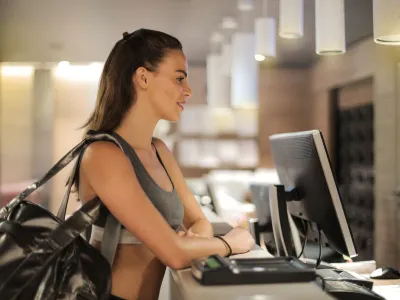
that bill by the visit, reward regulars
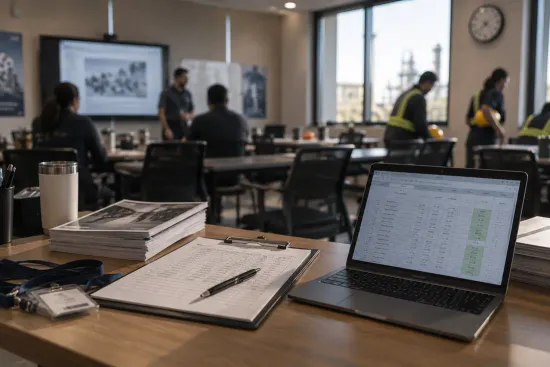
Nobody has to remember who was in the room
Nancy K.
9:02 AM → 3:14 PM
Harry P.
9:08 AM → 1:30 PM
Kate M.
9:15 AM → 3:14 PM

They name a date, you open it
Excel
This day’s report
September 9th, 2026
All-time report
Every day on this sheet

Still there when the license comes up again
Choose who can collaborate
Everyone in your organization
Nobody has to remember who was in the room
Nancy K.
9:02 AM → 3:14 PM
Harry P.
9:08 AM → 1:30 PM
Kate M.
9:15 AM → 3:14 PM
They name a date, you open it
Excel
This day’s report
September 9th, 2026
All-time report
Every day on this sheet
Still there when the license comes up again
Choose who can collaborate
Everyone in your organization
Check-ins per person, for any range you choose
Check-ins
480
44 more than Sep 28 – Oct 2

Ten of twelve rehearsals, counted for you
24 of 30 expected
Label the ones falling behind, then filter to just them
Check-ins per person, for any range you choose
Check-ins
480
44 more than Sep 28 – Oct 2
Ten of twelve rehearsals, counted for you
24 of 30 expected
Label the ones falling behind, then filter to just them

Which sessions fill, and which quietly empty
Morning Yoga
42/50
Pilates
28/50

Switch to week or month and the trend shows up
Check-ins
480
44 more than Sep 28 – Oct 2

Filter by class, teacher or site, then compare them
Which sessions fill, and which quietly empty
Morning Yoga
42/50
Pilates
28/50
Switch to week or month and the trend shows up
Check-ins
480
44 more than Sep 28 – Oct 2
Filter by class, teacher or site, then compare them

Turn on check-out and both times land on the record
Nancy K.
9:02 AM → 3:14 PM
Harry P.
9:08 AM → 1:30 PM
Kate M.
9:15 AM → 3:14 PM
Check-ins, total time and the average, per person
Aisha Rahman
Export to Excel with your filters already applied
Excel
This day’s report
September 9th, 2026
All-time report
Every day on this sheet
Turn on check-out and both times land on the record
Nancy K.
9:02 AM → 3:14 PM
Harry P.
9:08 AM → 1:30 PM
Kate M.
9:15 AM → 3:14 PM
Check-ins, total time and the average, per person
Aisha Rahman
Export to Excel with your filters already applied
Excel
This day’s report
September 9th, 2026
All-time report
Every day on this sheet
Most check-in apps handle one date well. Fewer handle the next one, and the one after that.
Set up your schedule once for any weekly class, program, or recurring meeting. OneTap automatically opens today’s sheet under the same QR code, so there’s nothing to reprint or resend, and last week’s attendance sits right next to this week’s.
Everyone scans that single code, clearing a line of two hundred in minutes. Your staff all work on that same sheet from their own phones at the same time, so everyone is always on the exact same page.
Did all your people complete the required training?
State Department · Unannounced
Every session keeps its own record: the date, the method, and who was there. Pull one person or a whole year and hand it over.
State education departments · Cal/OSHA · Licensing boards
Kiosk is ready
Tap your name to check in
Self check-in at the front desk, on the iPad you already own.
Check-in QR Code
Please scan this code to check-in
Scan and go. Nothing for the person checking in to install.
Extended Day · Room 12
TUE 9 SEPT · 24 EXPECTED
18 of 24 people checked-in
Live
Share a registration link or take walk-ins at the door, with the same QR code for registration and check-in.
Hours · this month
Amara Okonkwo
Check in, check out, and every person’s hours add up on their own.
September Report
19 Sessions · 16 People
Export in Excel or PDF with any date range, any session, any one person, in the format they accept.
Aisha Rahman’s Pass
Event entry · Chelsea Hill
A personal QR code or barcode pass, saved to Apple Wallet, emailed or printed.
Location restriction
People must be within a radius of a place
Location, time, photo and signature land on the record. The check-in QR refreshes every 20 seconds, so a screenshot is expired before a friend can use it.
“I’ve been doing nonprofit work for 19 years and so I’ve used a variety of other check-in programs over the years at different nonprofits. … I liked the simplicity. I liked that I could upload the list myself. I liked that … the onboarding … the ability to master the software was quick and easy.”
“I’m so glad to get rid of excel, I finally found what I have been looking for! OneTap makes it easy for me to have profiles with student information, easily accessible, and take attendance quickly. I want to take attendance quickly, and simplify my life, and I’m willing to pay to do it.”
“We recovered $700+ in revenue using OneTap for attendance tracking, this program helps us capture student’s data more easily.”
“OneTap made our All Staff Meeting registration process worry-free and very professional. App was very user-friendly and loved being able to free up some of my team at registration. This has definitely helped us in moving away from paper for other meetings and training.”
“I came into the position of Director for our before and aftercare, and camp programs almost 3 years ago, and the system of attendance was not streamlined. Pen and paper, with an info transfer to a spreadsheet for billing. Your software allows my staff to track daily attendance in real time, and being able to pull a report with total elapsed time each month keep my billing precise and down to a 30 minute job. It’s the best, truly.”
$0
Free forever
And more…
$49.99
per month, billed yearly
And more…
$69.99
per month, billed yearly
And more…
$99.99
per month, billed yearly
And more…
$200+
per month, billed yearly
And more…
You are charged for how many people you check in. Not for sheets or sessions.
The attendance tracking software you’ll compare us against is really an HR system, an event platform or a form builder with attendance bolted on the side. It’s their eleventh priority. It’s our only one.
That shows up on a wet Tuesday with forty people at the door, and it’s why we’re not built to catch anyone out.
The people you check in aren’t suspects. They’re the reason the program exists.
And it’s been used, not just launched. Our longest-running program has run this way for over six years.
15.7M
Check-ins recorded
154k
Check-ins done by a power user
6 years
Longest-running program
9 in 10
Top 100 US universities use us[Source: Times Higher Education, best universities in the United States (opens in a new tab)]
OneTap is an attendance app and attendance tracking software for programs that check in the same people session after session: classes, training courses, youth programs and membership clubs.
People check themselves in with a QR code check-in, a sign-in link or an iPad check-in kiosk, and every check-in lands on an attendance record you can filter and export. It is free for up to 20 people.
Yes. OneTap is an online attendance system: people check in by scanning a QR code, tapping their name on a shared iPad, or being checked in by an admin, and every check-in writes straight to a digital attendance register you can filter and export.
It runs in any browser, so you can take attendance online from a laptop, phone or tablet. Every plan includes collaborators, so your whole team works from the same page rather than their own copy.
The best attendance tracking app for mobile use is the one nobody has to install. The person checking in points their phone camera at a QR code, and there is no check-in app for them to download.
For admins, OneTap Check-In is a free iOS app for iPhone and iPad. On Android, admins use the web dashboard, which does the same job. OneTap Visitor, on both platforms, lets people keep their own pass and check-in history.
Yes, all three. Training programs run a course or a mandatory series on one roster, and because people check in and out of each session, every record carries the time in and the time out as evidence for CEU or CPE credit.
Schools, districts and universities use OneTap as their school attendance software, for class registers, homeroom, clubs and dismissal, then export it straight into the gradebook.
And as an employee check in app, staff scan a QR code at the entrance and their arrival and departure land on the record. It is not a payroll or timesheet system.
Yes, free forever for up to 20 people, with no credit card and no trial clock. Paid plans start at $49.99 a month billed yearly and scale with the size of your roster.
No, and it is not meant to. An LMS holds your courses and your content. OneTap holds who turned up.
Most teams run both and pass the attendance across, using the API, webhooks or Zapier to feed an LMS, Workday or their own database.
If what you want to retire is an attendance tracking system, an attendance management system, a spreadsheet and a paper sign-in sheet all running alongside each other, then yes. OneTap holds the roster, the online attendance register, the reports and the records in one place. One attendance application, one record.
About five minutes: import your people from Excel or CSV, print a QR code, and put it where people arrive.
After that, recurring sheets open the next session on their own, and people who have checked in before are remembered, so nobody re-registers.
Yes. OneTap works as an event attendance tracker. A single event is $24.99 one time, valid for 14 days and good for up to 500 people, or you can add events to an account you already run.
Know what it is built for, though. OneTap is designed for programs that repeat, so the roster, the recurring sheets and the year-end export are where it earns its keep. For one conference a year and nothing else, a dedicated event platform may suit you better.
Yes. Open any profile to see every session they attended and the dates, or export one person’s history on its own without pulling the whole roster.
As attendance monitoring software it exports to Excel, CSV or PDF over any date range, with the columns you choose. Teams who need it to land somewhere automatically use the API, webhooks or Zapier.
Give each person their own check-in code, so there is no list to tap and no name to borrow.
The check-in QR also refreshes every 20 seconds, so a screenshot passed to a friend has expired before they can use it. You can also restrict a sheet to a time window, a location, or people already on the roster.
Yes, and mostly because of how little we keep. The people you check in never create an account. No app, no signup, nothing for them to join. With check-in codes the roster never appears on screen, so nobody reads who else is on the list on the way to their own name.
We don’t collect biometrics, and location works as a restriction rather than tracking: it can require someone to be at the door to check in. What’s on your sheet is what you put there, and you can export or delete it whenever you want.
Signatures, timestamps and check-in history stay available for years, which is what accreditation bodies and pharma auditors ask for. Everything runs on AWS in US data centres, and our uptime is published live and independently monitored at status.onetapcheckin.com.
You’re already writing it all down. The only difference is where it goes, a drawer or a record you can filter by person, session or site. Put it on OneTap and your morning doesn’t change. Only the drawer does.


