
Free Excel Attendance Sheet & Tracker Template (Weekly, Monthly, Yearly)
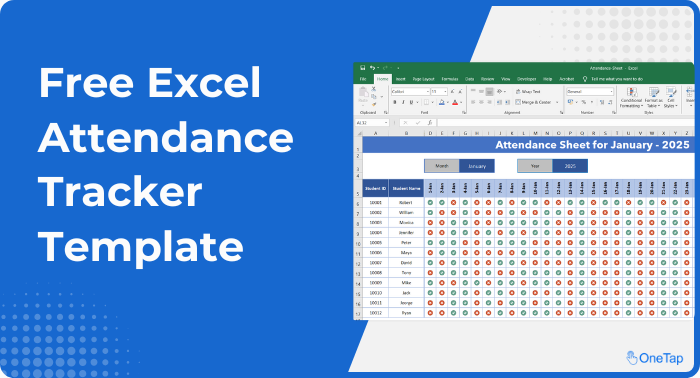






Free Attendance Tracker Excel Template
This free Excel attendance sheet template is designed to make attendance quick and easy for teachers, instructors, coaches, and more.
Download the Excel Attendance Template, and start tracking class attendance right away.
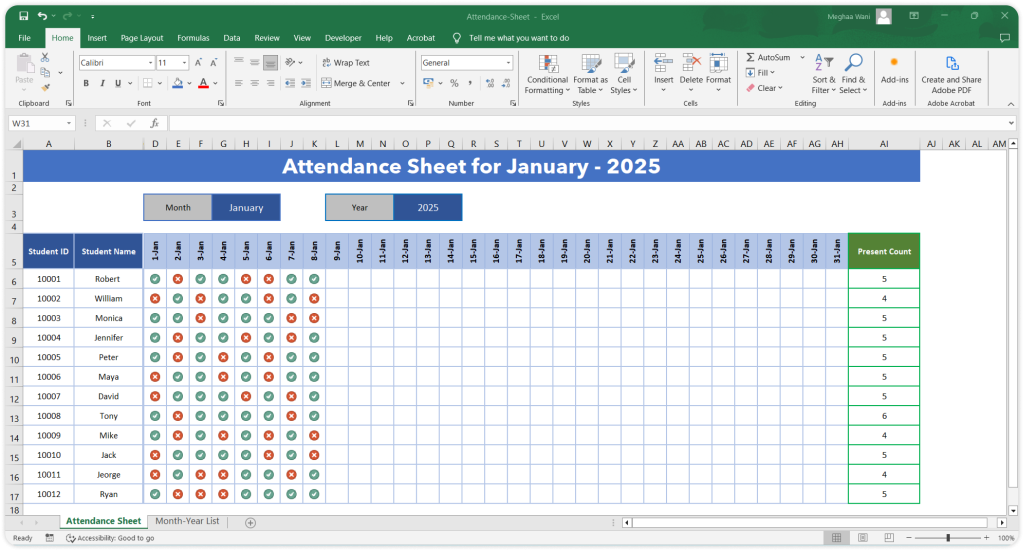
How to Use the Attendance Sheet in Excel
Here’s a quick guide on how to use our attendance sheet template in Excel:
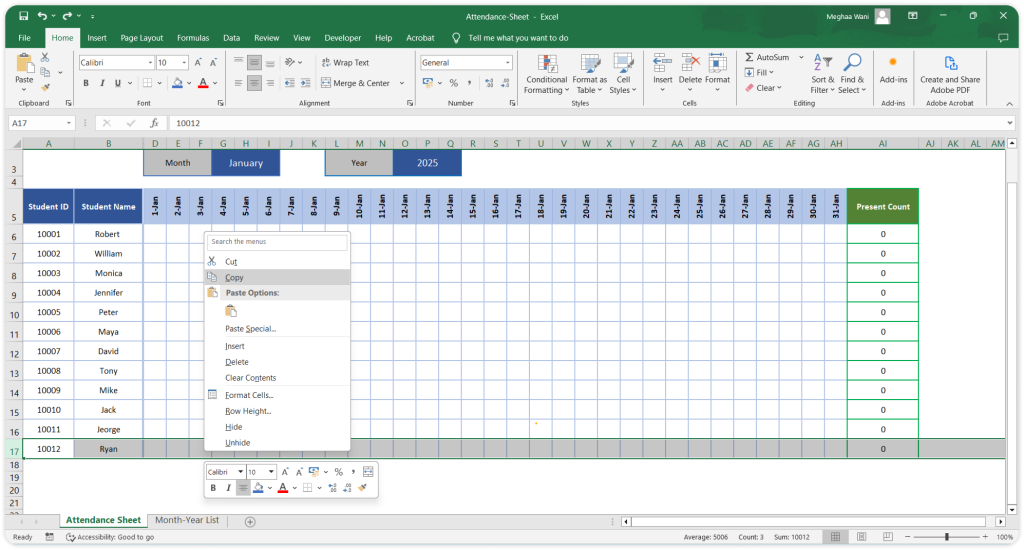
Step 1: Add Student Name
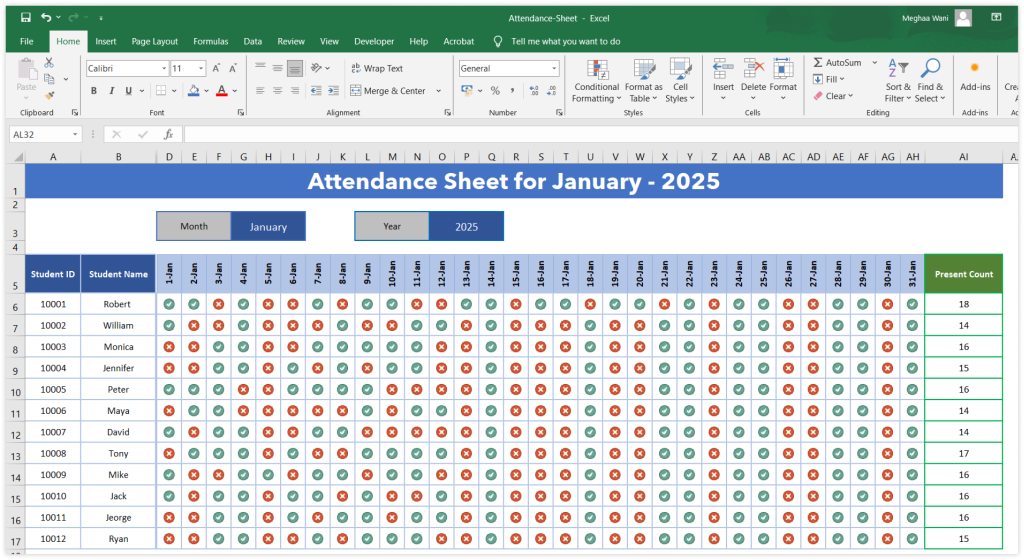
Update student names and/or add new student entries by copying the last row.
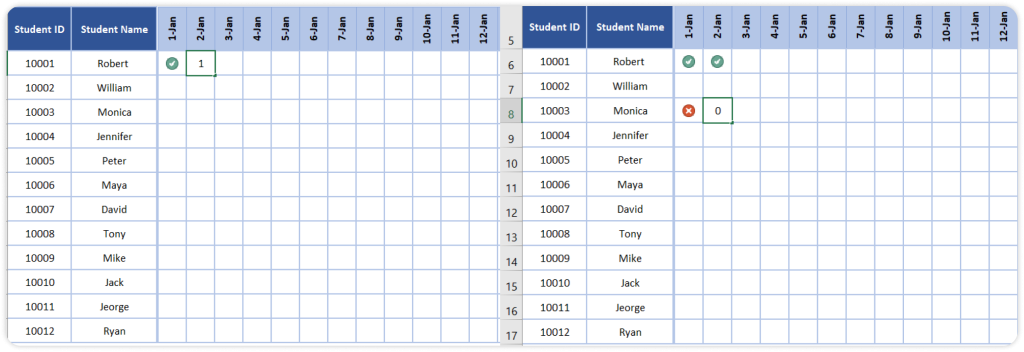
Step 2: Mark Attendance
Each column represents a day of the month. To mark a student as present, enter ‘1’ to mark present and enter ‘0’ to mark absent.
Step 3: View Present Counts
All present, and absent numbers are calculated automatically and you get the overall present numbers for everyone in the ‘Present Counts’ column.
Free tool
Rather not edit the spreadsheet?
Pick a month and a program type and download a print-ready sheet with the weekdays already filled in. No formulas to repair, no columns to delete.
- Real weekdays only
- 6 program types
- Holidays you mark, removed
- Full year in one download
Get Free Excel Attendance Template
Attendance sheet formats included
Three formats come in the same file, on separate tabs. Pick the one that matches how often you record attendance.
Weekly attendance sheet. Five dated columns, Monday to Friday, one row per person. Best for a class or a shift that runs the same days each week. Totals reset each week so you can print one page per week.
Monthly attendance sheet. Every day of the month across the top, names down the side, with a running present and absent count in the last two columns. This is the monthly attendance tracker most schools and programs actually use, and the one to pick if anyone ever asks for a month at a time.
Yearly summary. One row per person, one column per month, with an attendance percentage that updates as the monthly tabs fill in. Useful at reporting time and for spotting a student whose attendance has been sliding since October.
Student attendance sheet, and other uses
The same attendance sheet format works for more than a classroom. The columns do not care who is in them.
- Student attendance sheet. Names, dated columns, percentage per student. Add a Student ID column if your school reports by ID rather than name.
- Employee attendance sheet. Replace names with staff and the sheet records who was in on which day. It will not record arrival times, so if you need hours rather than presence, see employee check-in.
- Class attendance template. One tab per class, or one file per class if you teach several.
- Event or training attendance. One column per session rather than per date.
Printing the attendance sheet
Set the print area to the name column plus the dates you want, choose landscape, and fit to one page wide. If you print the same sheet every month, the free attendance sheet generator is faster: pick a month and a program type and it produces a print-ready sheet with real weekdays only and the holidays you mark removed, with no formulas to maintain.
Excel or Google Sheets?
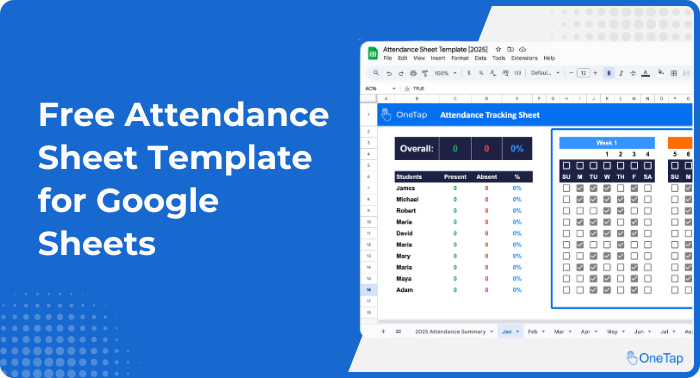
If your organization runs on Google rather than Microsoft, the same template exists as a Google Sheets attendance template. It shares by link and supports simultaneous editing. Everything else on this page applies equally.
Attendance sheet template FAQs
What is the best attendance sheet format? For most people, monthly. Every day of the month across the top, names down the side, and a present, absent and percentage total per person. Weekly works better for a shift pattern that repeats; yearly is for reporting rather than daily marking. All three are in this template.
Is the Excel attendance sheet template free? Yes. Download it, use it for as long as you like, and change anything in it. There is no sign-up and no limit.
How do I make a monthly attendance sheet in Excel? Use the monthly tab in this template, or build one by putting names in column A, the dates of the month across row 1, and a COUNTIF in the final columns to total present and absent marks. The template has the formulas written already.
Can I use this as a student attendance sheet? Yes. That is the most common use. Enter student names, mark each day, and the percentage per student calculates on its own. Add a Student ID column if you report by ID.
Does it calculate attendance percentage automatically? Yes. Present, absent and percentage recalculate every time you mark a day, for each person and for the group.
Can I print the attendance sheet? Yes. Set the print area, choose landscape and fit to one page wide. For a print-first sheet with no spreadsheet involved, use the free attendance sheet generator linked above.
What if more than one person marks attendance? An Excel file on a shared drive is where records get overwritten, and the file does not record who made which mark. If two or more people mark attendance regularly, or you are ever asked to prove attendance for a grant or an audit, a spreadsheet is the wrong record and timestamped check-in is the right one.
Does it work in Google Sheets? It opens, but some formulas behave differently. Use the Google Sheets version instead, which is built for it.
Related Articles


Work Less, Automate More
Streamline student attendance management with the OneTap attendance app. It is a modern, swift way to ensure accuracy and save 1+ hours daily. Sign up now and simplify attendance tracking for free!