If you’ve ever run a recurring list on OneTap, there’s a decent chance you’ve had this moment →
You open your list for the day, it’s called something like “Front Desk (September 12th)”, and there’s a small line near the top telling you it’s a child-list of “Front Desk”. Somewhere in the menu there’s a button called View Template. And you pause, because you just want to add one person, and now you have to work out which of these two things you’re meant to be adding them to.
That pause and confusion is what we’ve spent the last few months getting rid of.
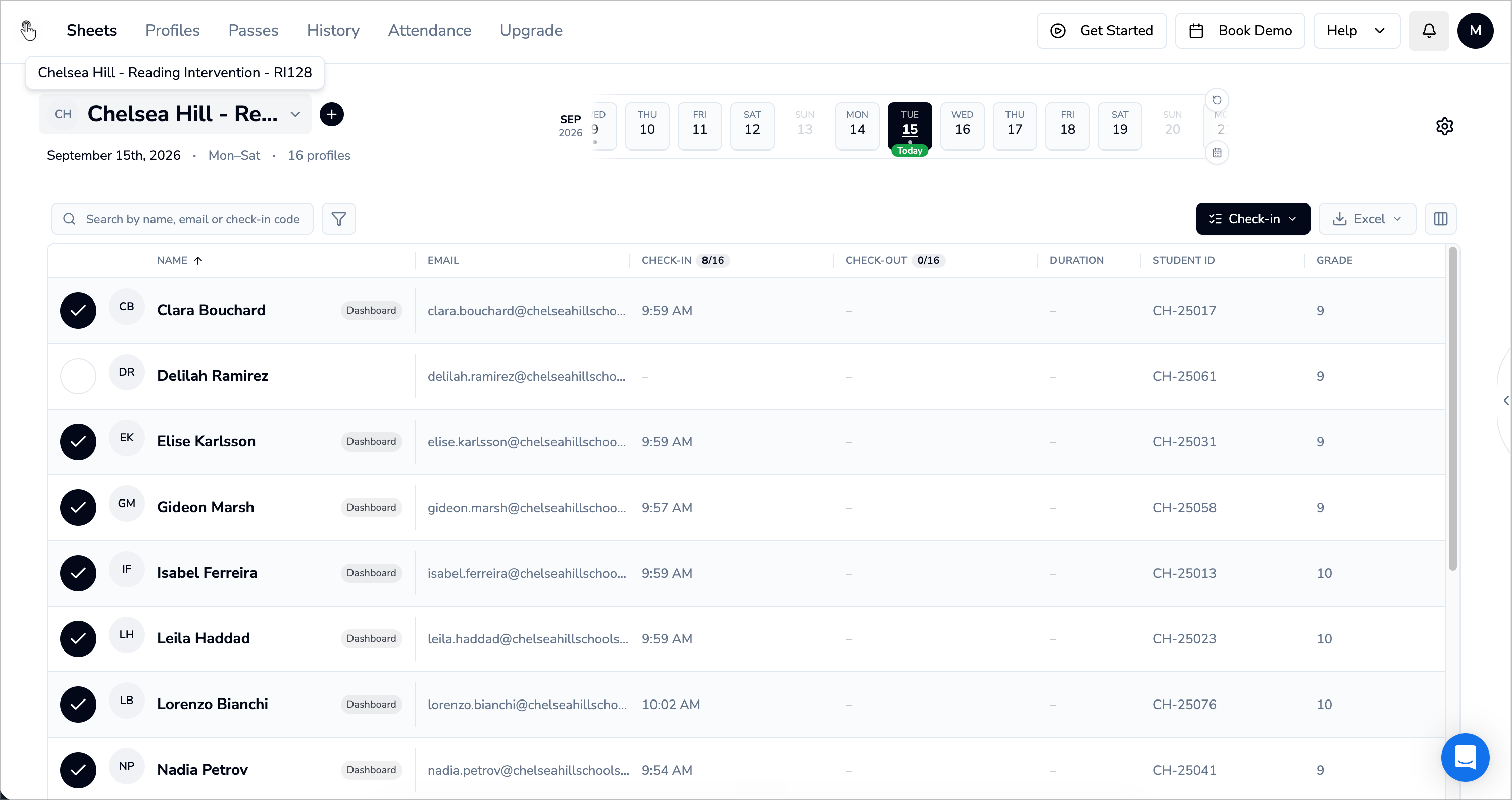
Lists are now Sheets, and the name is meant literally: One attendance sheet per thing you take attendance for.
Dates run along the top as a filter rather than as a pile of separate lists. No parent, no child-list, no template to you anymore. We take care of all that.
What was actually going on back there
To be fair to the old model, a lot of it worked quietly well. When you made a list recurring, OneTap created a parent list holding your roster and your schedule, then created a dated list for each day the thing actually ran. Your QR code never changed, and anyone you added to the parent showed up on every day that followed.
The trouble was that all of this didn’t matter to the user. You just needed to take attendance for one thing, and a parent list and child list meant absolutely nothing. You were handed two levels of the same thing and left to understand what was what. Was this a parent or a day? If you add someone here, does it stick for next week or just for today? Change a setting on Tuesday’s list, and what happens to Monday’s? Underneath it all, a new dated list was appearing every day the list ran, while you just wanted to take attendance on a set schedule for a class or training or people checking in and out.
So, Sheets
A Sheet is one thing. If you take attendance for a morning class running on Monday to Friday, you have one Sheet for that class, in the same way you’d once have had one attendance sheet on a clipboard that you picked up again every week.
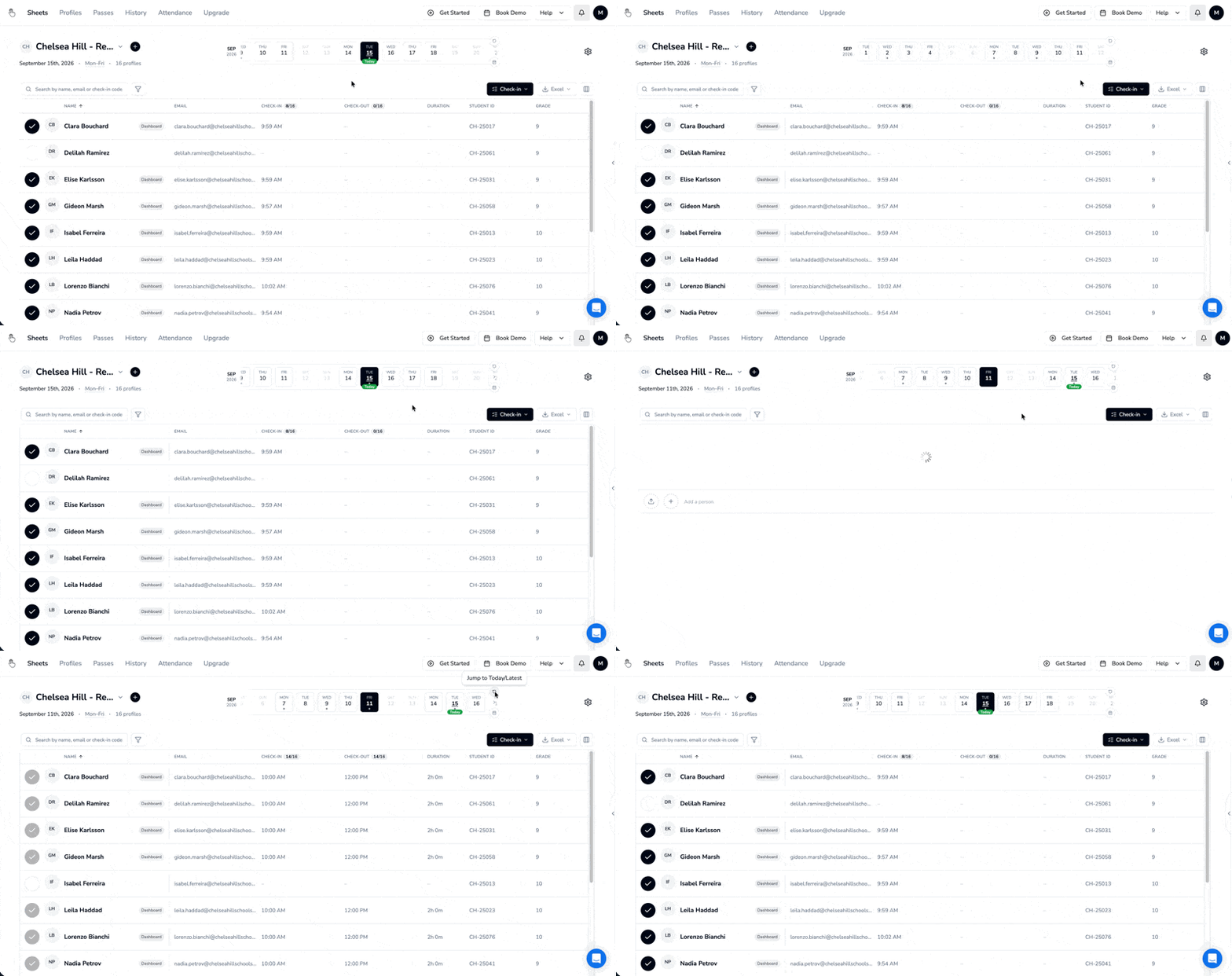
The dates live along the top of the page instead. Sliding across them filters the check-ins the Sheet already holds, so last Tuesday is a click rather than a search.
When this reaches you
If you signed up after September 7th, 2026 -
You already have it. Sheets is your attendance page and you will never meet Lists.
If you’ve been with us longer -
At some point over the next two weeks, Sheets will take over as the Lists page for everyone. We will email you and put a notice inside the product a week before that happens to allow you some time to take a look at Sheets and train your collaborators on the new structure.
No effort will be required from your side. All your Lists, People, Passes, and Attendance History will be available on Sheets.
Go and have a look before we move you?
We’d love for you take a look on an off day when you have time to spare so you can take your own sweet time to get acquainted with the structure.
Try to take a look at your past data, create a new Sheet (List), see where the settings live, find where you can download your check-in QR code.
If something feels wrong once you’re in, tell us. We’re reading all of it while this rolls out.
Want a more detailed walkthrough of Sheets?
