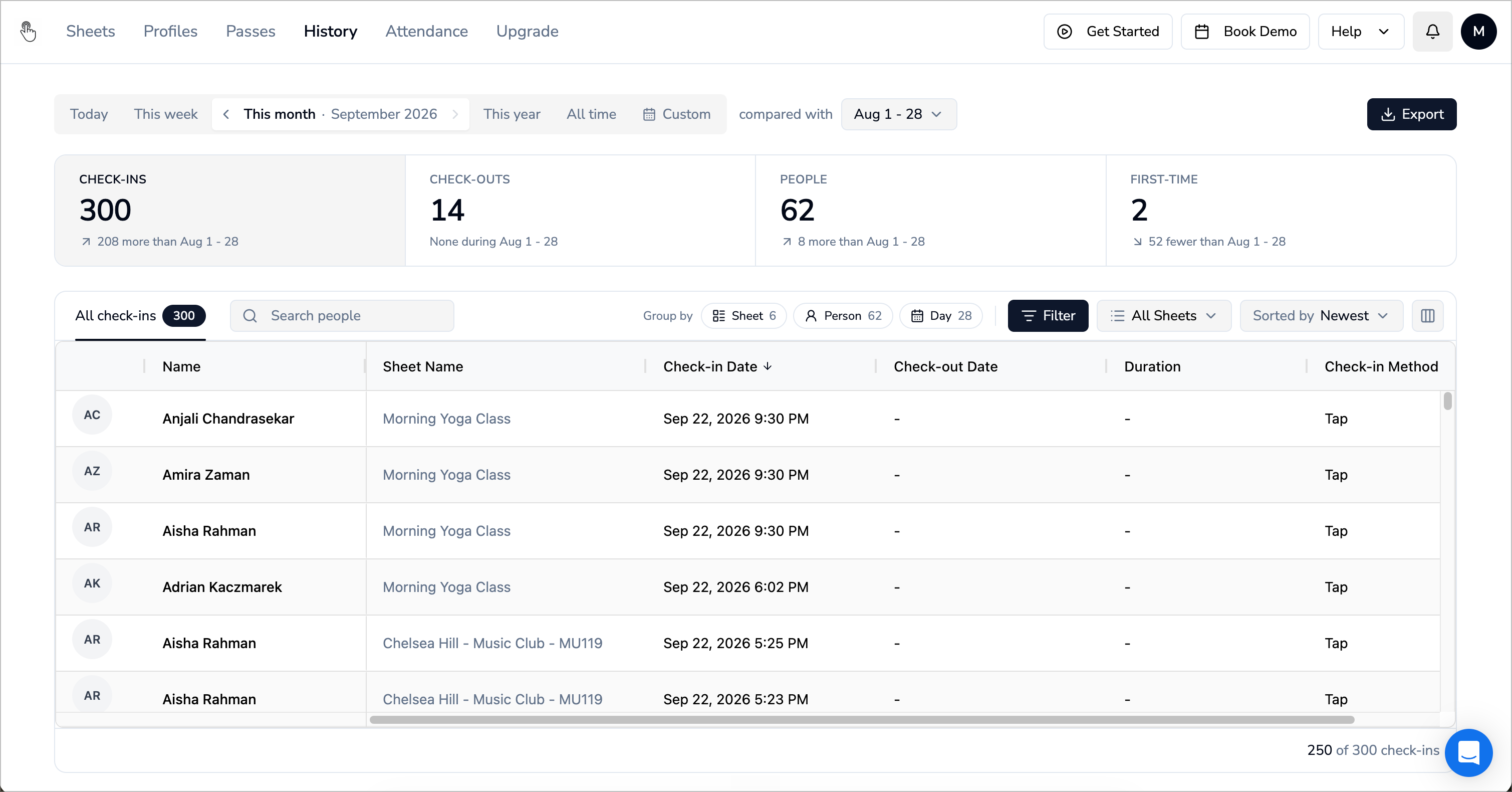
We’ve rebuilt the History page from the ground up. Pick a period, and you’ll see what happened across your whole organization, and how it compares with the period before.
The ten-second question that takes twenty minutes
You want a rough sense of how the month is going. So you open your Sheets one by one, or download a report and scroll through it in Excel, to answer a question that should take ten seconds. And when something small feels off, like whether the 2 PM class took attendance or whether someone ever checked out, that answer is buried in the same spreadsheet.
The new History page solves for this. You can investigate your data with higher granularity right on the platform.
This month, next to last month
The bar at the top is where you start: Today, This week, This month, This year, All time, or Custom. Use the arrows to step back through earlier weeks or months.
Underneath, four numbers for that period: Check-ins, Check-outs, People, and First-time (people whose first check-in ever landed in that period).
Every number says exactly what it’s compared with, like “41 more than last month”. You read it, and you decide what it means.
Pick what to compare with from Compare with…: last month, the same month last year, any other day, week, month or year, or nothing at all. If the month isn’t over yet, it’s compared with the same stretch of last month (Aug 1 - 23, say), so a month in progress doesn’t look like a drop.
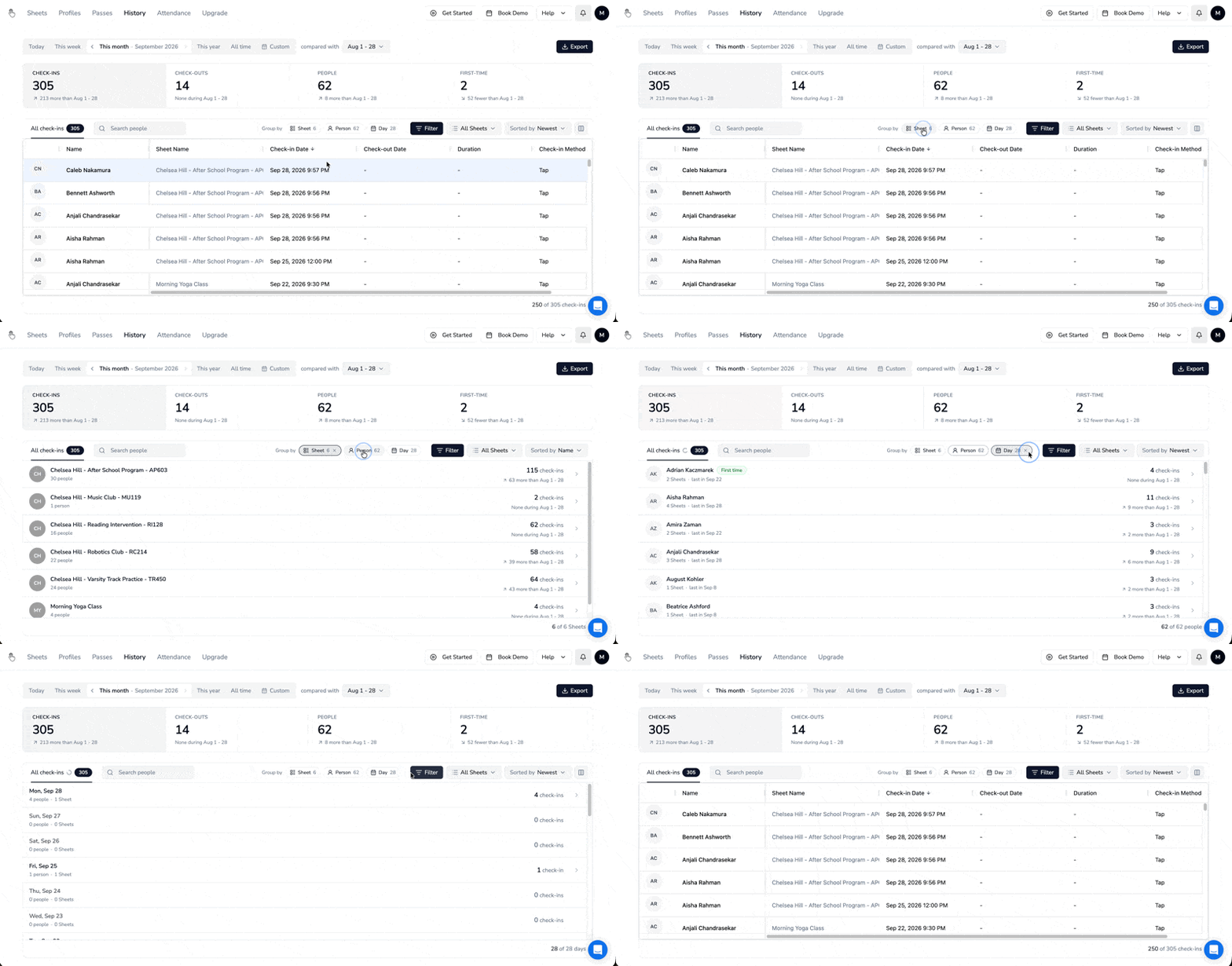
By Sheet, by person, or by day
Below the numbers is every check-in in the period. Group by rearranges them:
Sheet - One row per Sheet, with its check-ins and the change. Sort by most check-ins to see which ones are busiest.
Person - One row per person, sortable by most check-ins or by name.
Day - One row per day. It becomes Hour when you’re looking at Today, and Month on This year.
Start with this month
Open History, set it to This month, and see how it compares with last month.
Tell us what you’d want this page to show next. We read every reply.