Hellooo! 
I’m excited to share that the OneTap n8n integration is now live!
You can now connect OneTap with your favorite apps and build powerful no-code automations in just a few clicks.
If you haven’t used n8n before, it’s one of the most popular automation platforms for connecting apps, creating workflows, and integrating with ChatGPT and other AI tools.
Steps to Connect n8n:
-
Login/Create an account on n8n and start a new workflow
-
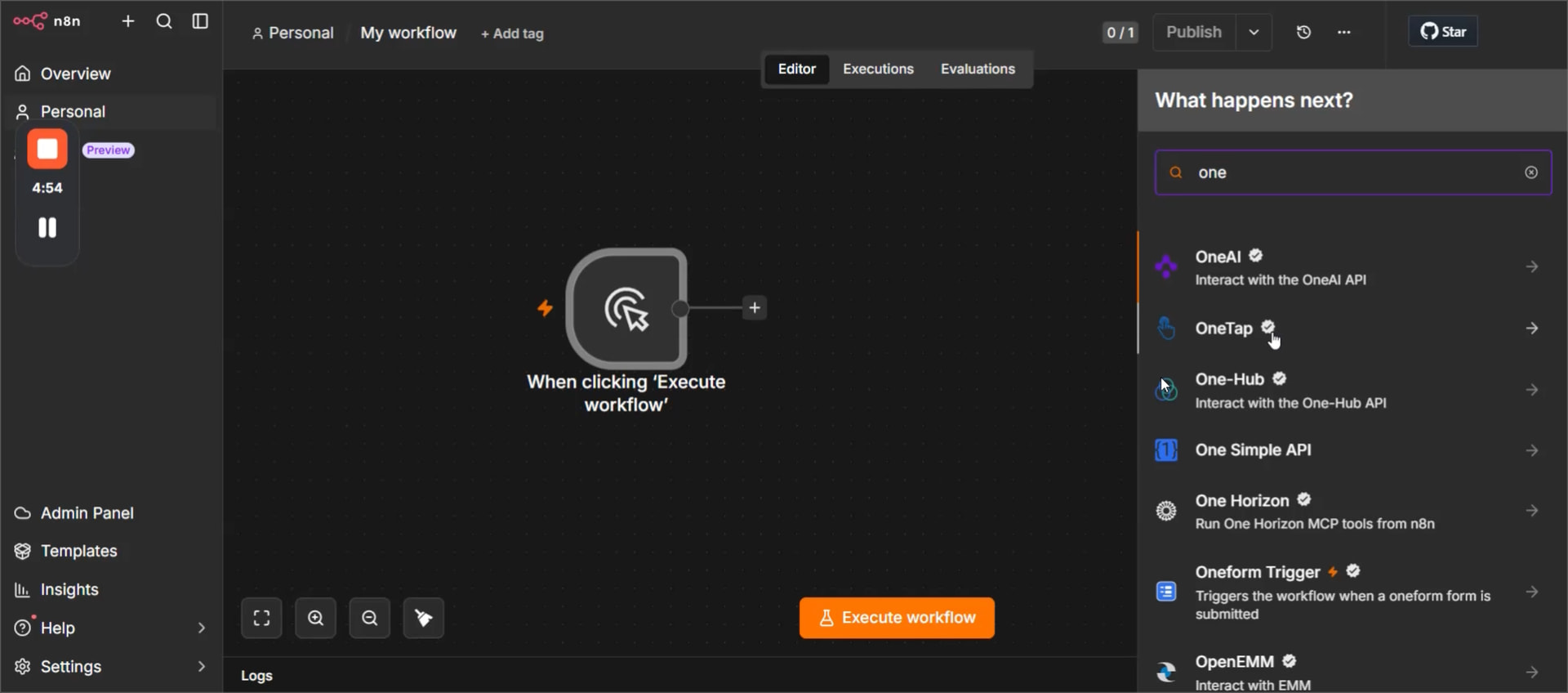
Click on the + to add a new node
-
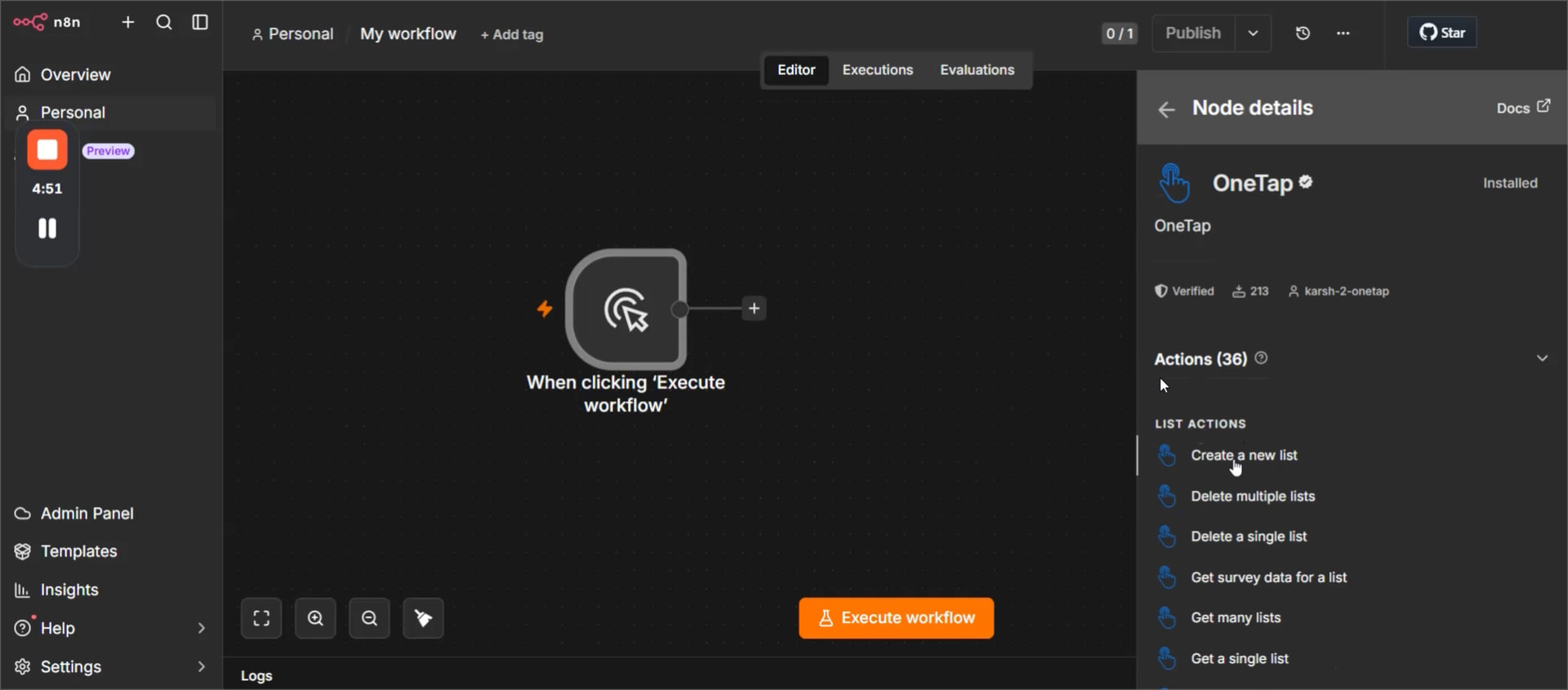
Search for “OneTap”
-
Pick an Action (let’s say “Create a new List”)
-
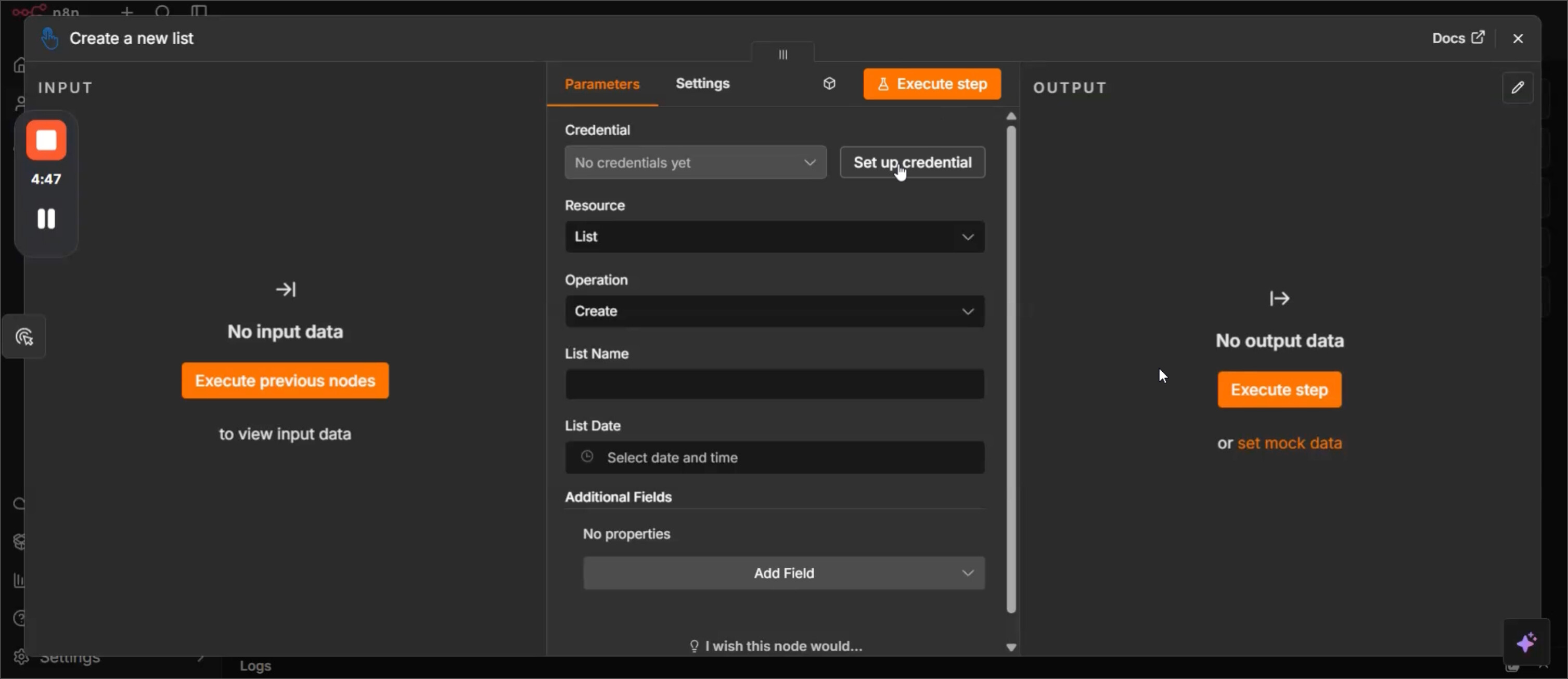
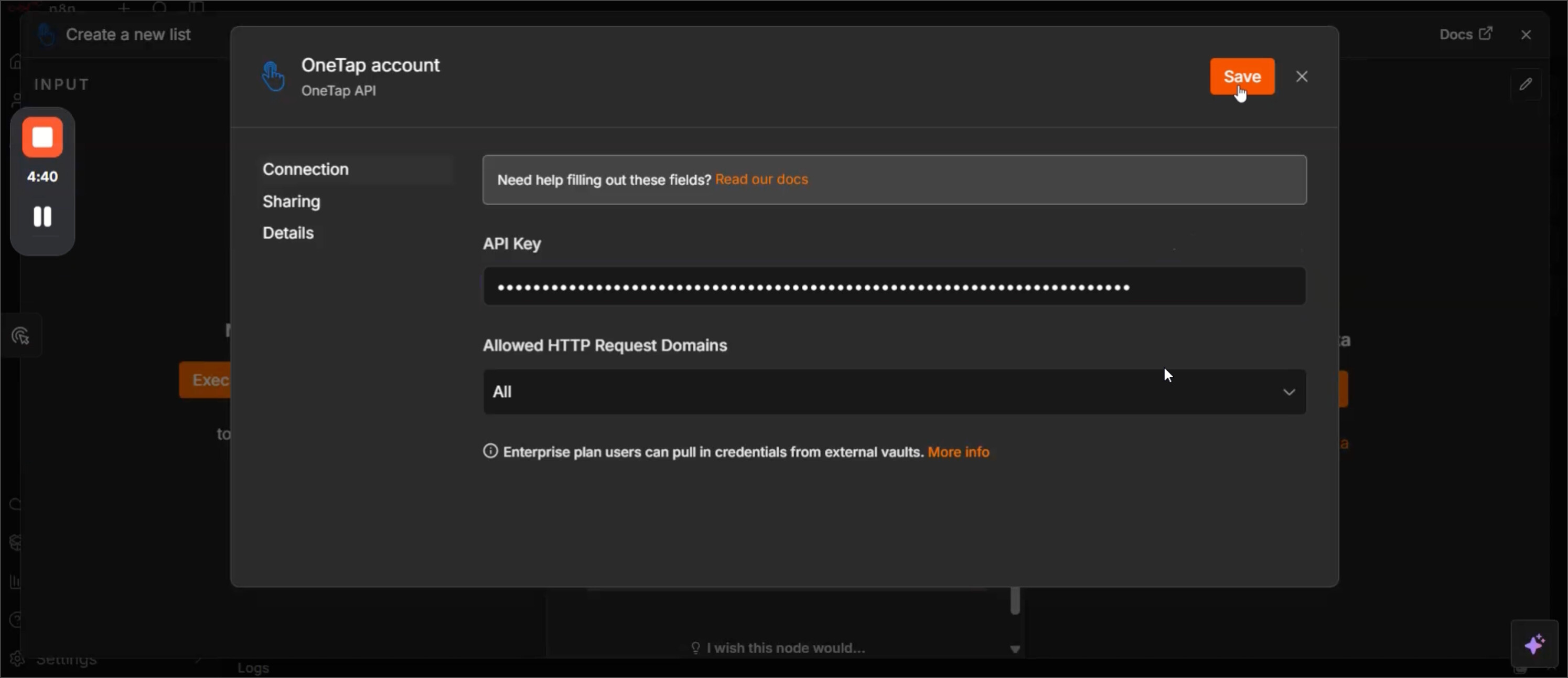
Click “Set up credential”
-
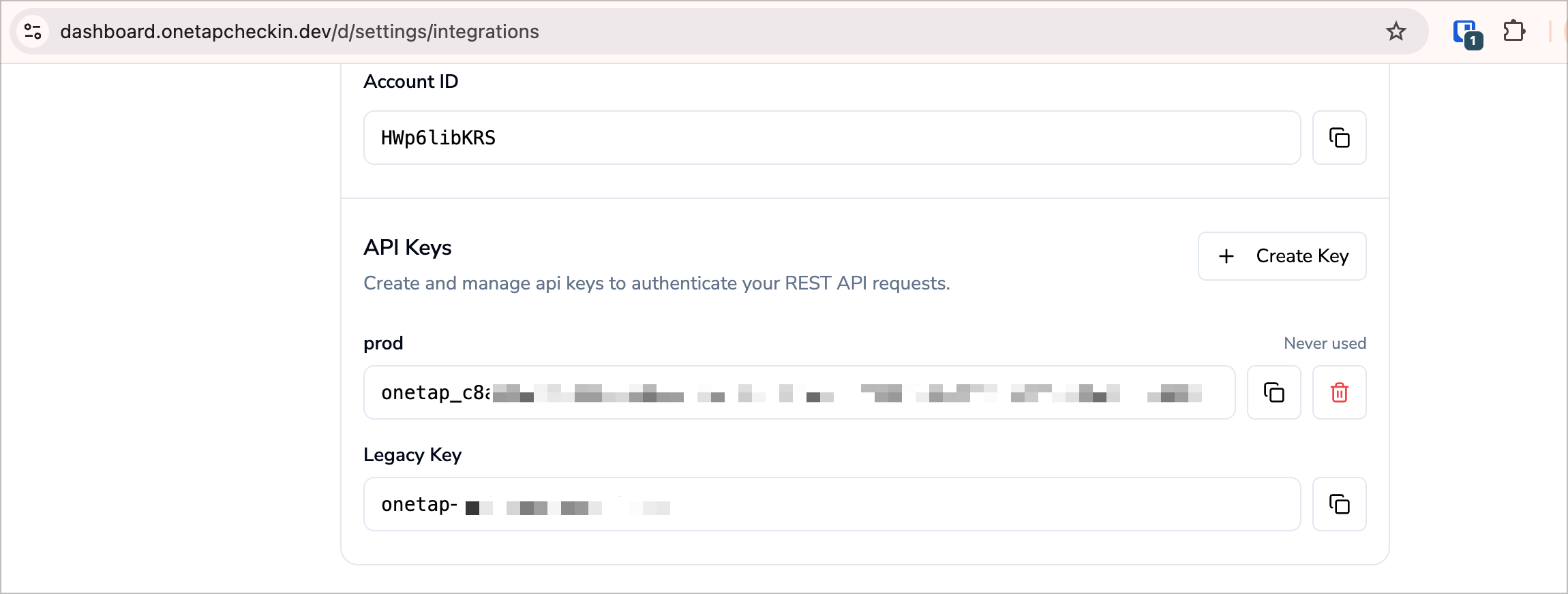
Go to your OneTap dashboard on OneTap Dashboard
-
Create a new API key or Copy an existing one
-
Back to n8n, paste it in “API Key” and hit “Save”
-
Set the “List Name” and “List Date”, since the action was “Create a List”
-
Hit “Execute Step”
That’s it! Your OneTap account is now connected to n8n, and you’re ready to build powerful automated workflows.
Whether you’re syncing attendee data with your CRM, sending notifications to Slack, creating contacts in other apps, or building AI-powered workflows, the possibilities are endless.
If you have any questions, run into any issues, or build something interesting, we’d love to hear from you.