Hello! 
Two new things and three fixes related to registrations and deleting data. They’ve all of them from problems you wrote in about, so please keep writing in - we love to hear from you!
 What’s Fixed & Improved
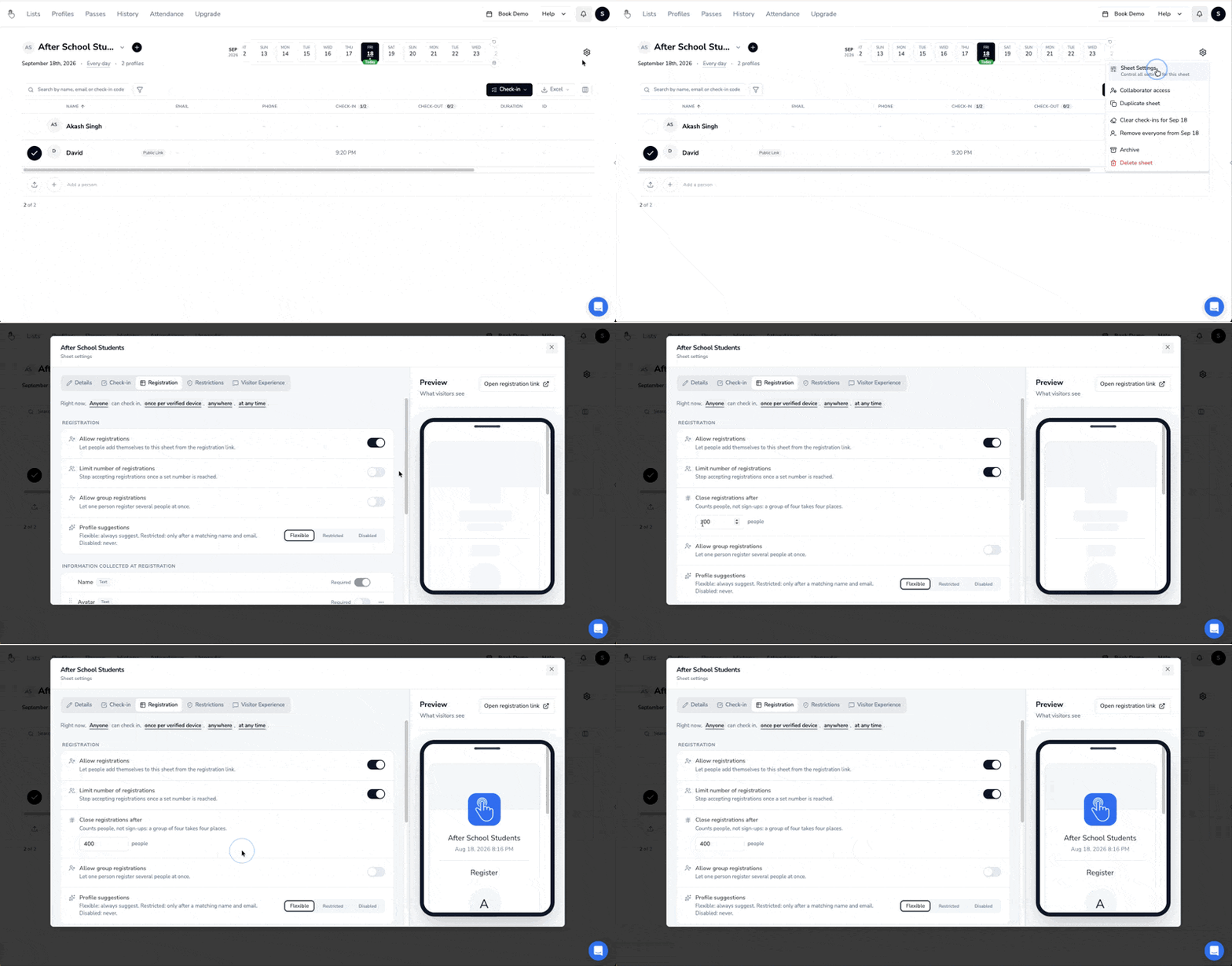
1) New: You can cap Registrations now
-
Before: The only way to stop registrations at capacity was to watch the number climb and switch registrations off by hand at exactly the right moment, which meant either checking all day or ending up with more people than you had room for.
-
Now: Set the number once and the cap enforces itself. When the last slot goes, registration closes, and anyone arriving after that sees “Registrations Closed, please contact the admin” on the public registration link. And on a recurring sheet, the cap applies per session rather than as a running total, so a weekly class capped at 20 is 20 every week.
You’ll find it in Registration Settings, right under Allow Registration.
2) New: Deleting something is no longer permanent
-
Before: Deleted check-ins were recoverable from Settings, but a deleted List, Profile or Pass wasn’t. If a collaborator cleared the wrong thing on a Monday, it was not recoverable.
-
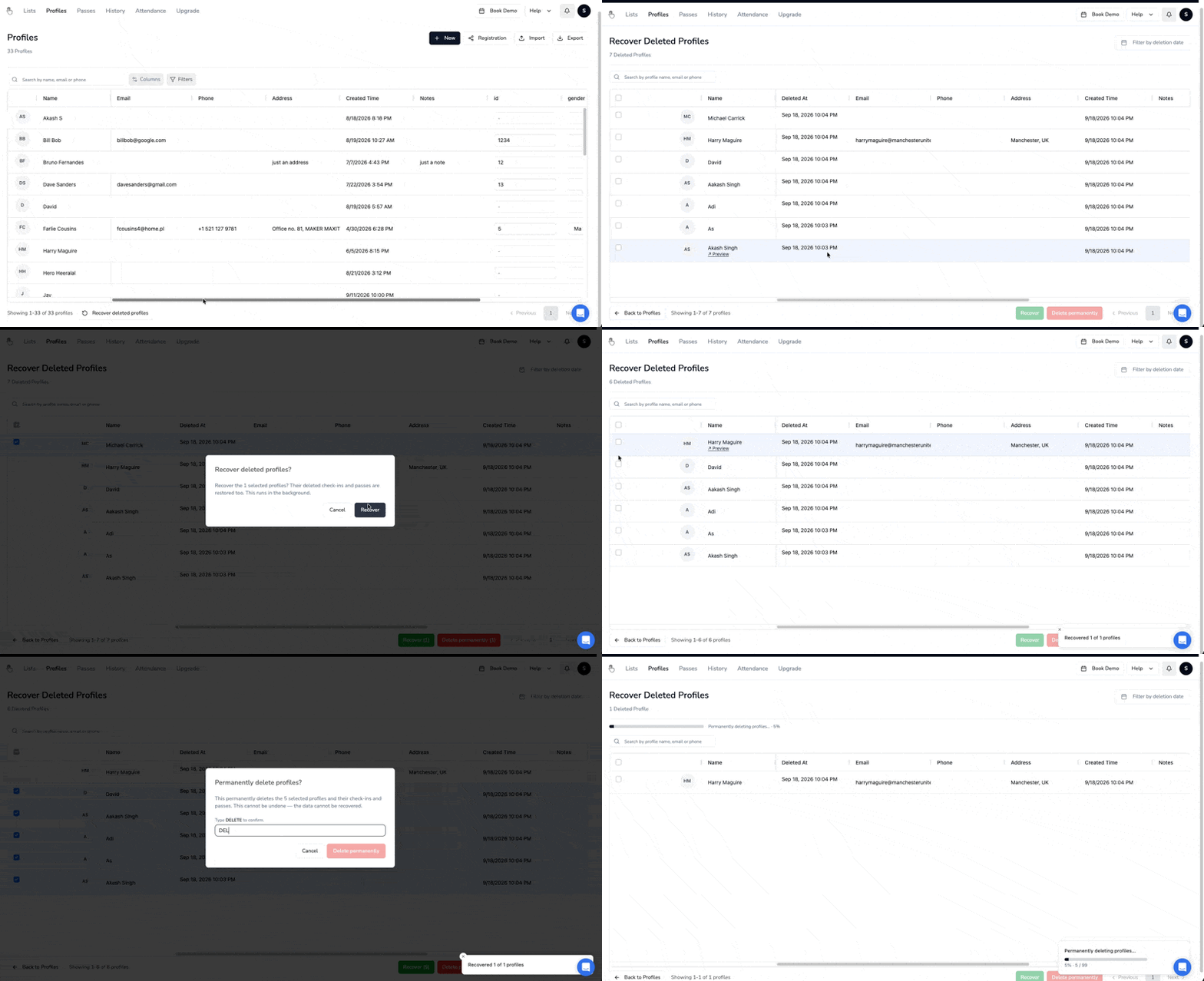
Now: Lists, Profiles, Check-ins and Passes can all be recovered by you, without us in the loop. Delete the wrong list of 300 students the week before term starts and you can put it back yourself in about ten seconds. To completely delete data, you will have to go into “Recover Deleted Profiles/Passes/Sheets” at the bottom of their respective page, select all, and hit Delete permanently.
3) Fix: Your custom registration fields show up in the Visitor app
- Before: if someone scanned a check-in QR code in the Visitor app and went to register from there, they only got the default fields. The custom registration fields you’d set up didn’t appear, so people registered without giving you the thing you actually needed from them, and you found out afterwards.
- Now: the fields you configure are the fields they see, whichever way they arrive.
4) Fix: Delete All Profiles finishes, and it finishes faster
- Before: Delete All told you it had started deleting, and then hours later the profiles were all still sitting there. Painful if you were clearing last year’s students out to import this year’s.
- Now: It completes, and it’s much much quicker!
5) Fix: Custom check-in fields are in the List Report download
-
Before: You could create custom check-in fields, make them required, and collect the answers, then open the Excel download and find the columns missing.
-
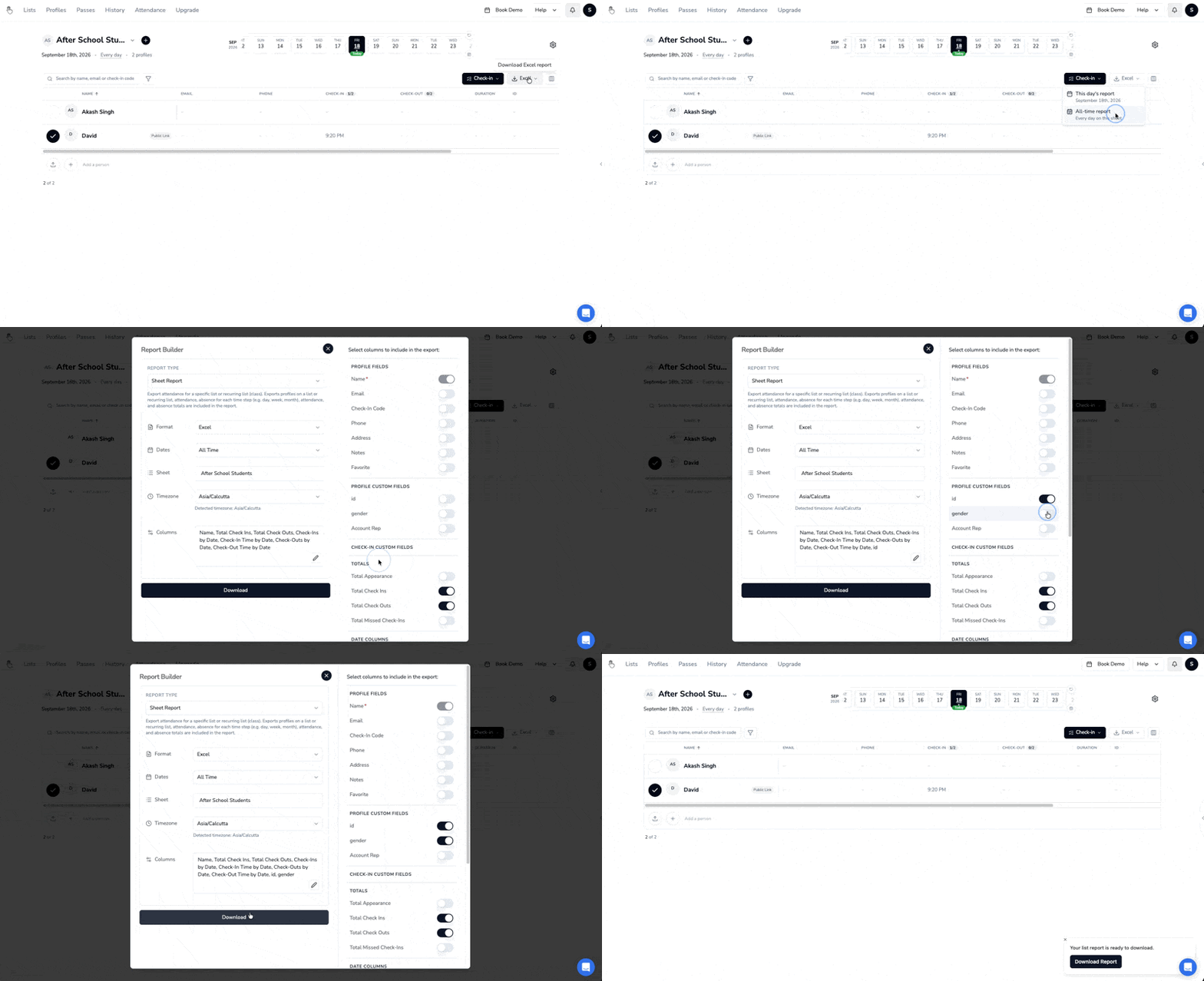
Now: The List Report download includes your custom check-in fields (select from the columns selector) and the values recorded against each check-in, in the same Excel file as everything else.
 Feedback
We thrive on your feedback.
If you run into any issues, or want to share what you’d like to see next, please reach out using the blue chat icon on the bottom right corner of your OneTap dashboard.