For after-school coordinators replacing paper and Google Forms
Give kids a QR pass or use an iPad kiosk to record check-ins and checkouts, see who is on site, and export attendance by student, program, site, or date.
Track 10 to 1,000+ active students across programs and sites.
Always know who's in the building, and who picked up.
Grant-ready reports (days + hours) in one click.


It's 5:15 PM
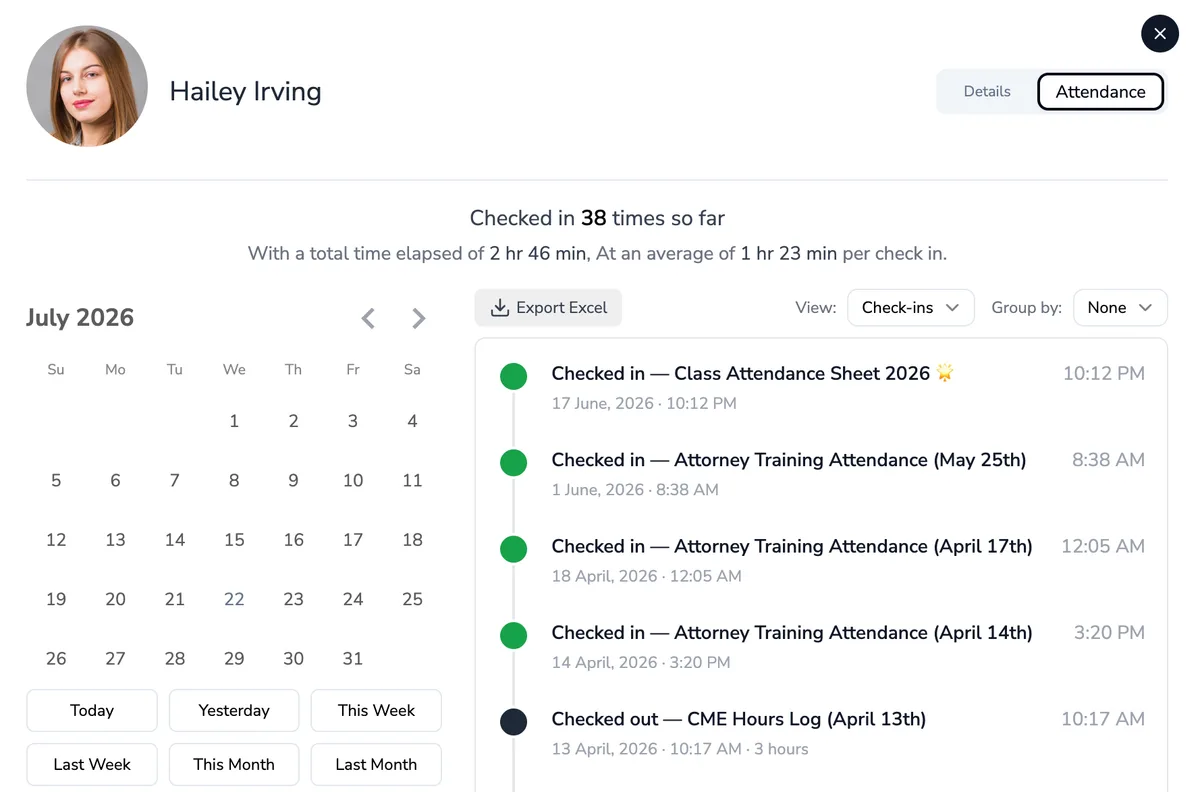
Your phone knows who's in the building, even when you're across the room. One glance at your phone and you know: checked in at 3:12, still in the building.

One rush, two very different afternoons
No more sign-in sheets, google form links, or calling names. OneTap timestamps every check-in the moment it happens.
“The program has grown a lot. Right now we just do a Google form.”
“There’s a rush hour, a hundred kids waiting in line.”
“We’re very short staffed. One or two people, max.”
“There’s names on there that aren’t even legible. Papers get lost.”
“Kids like trying to check in at 10am.”
“We get our grants from participation.”
Everything a coordinator needs
Stop chasing paper and re-typing spreadsheets. Here's what your day looks like with OneTap.

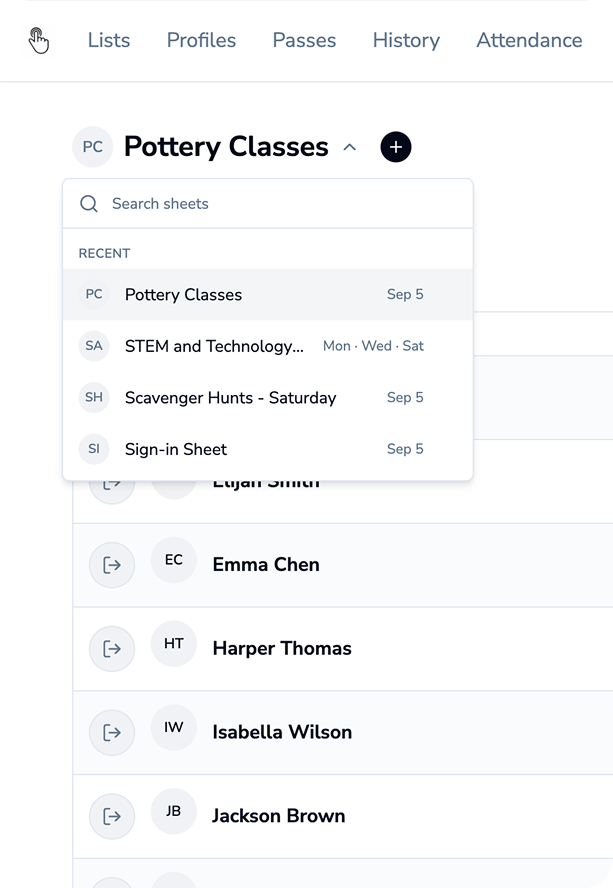
A separate digital attendance sheet for each activity. See exactly how many times each student attended each program. One account, one dashboard, as many programs as you need.

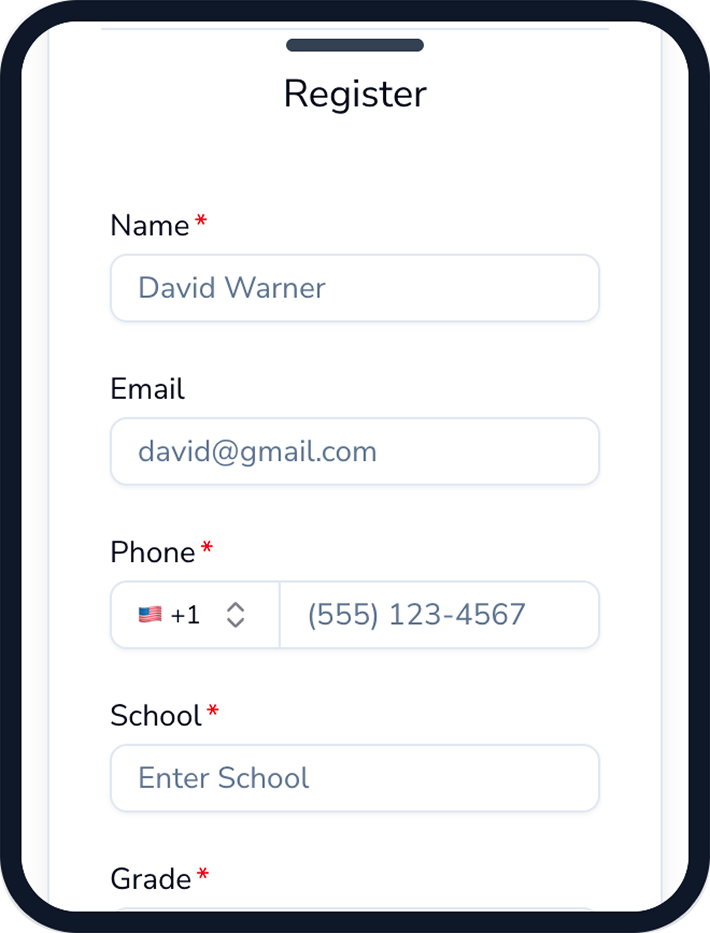
Capture grade, school and emergency contact or add your own questions. Collect waiver or consent right at sign-up. Emergency contacts and notes are stored on each profile.
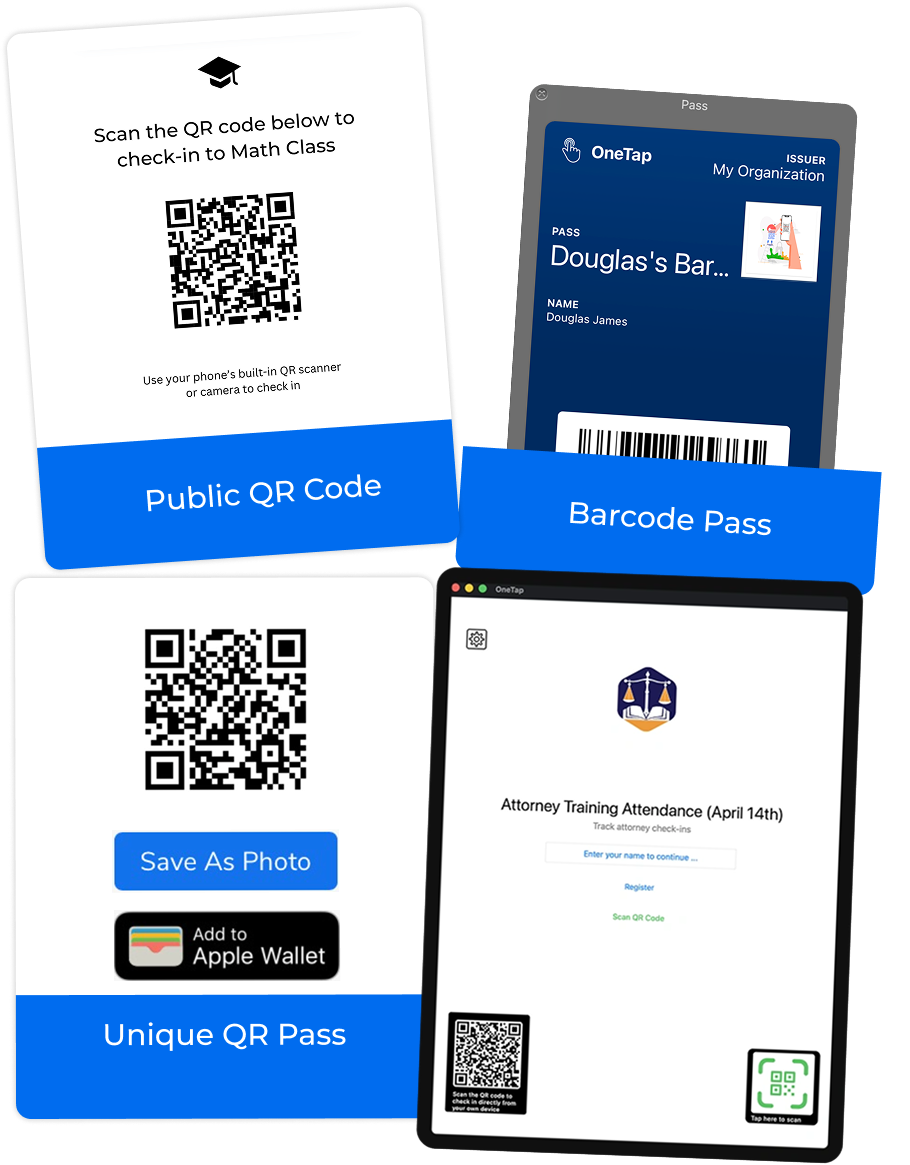
Every student gets a personal QR pass they can save to Apple or Google Wallet, or use the barcodes and ID badges your school already issues. Younger kids tap in at the iPad kiosk.

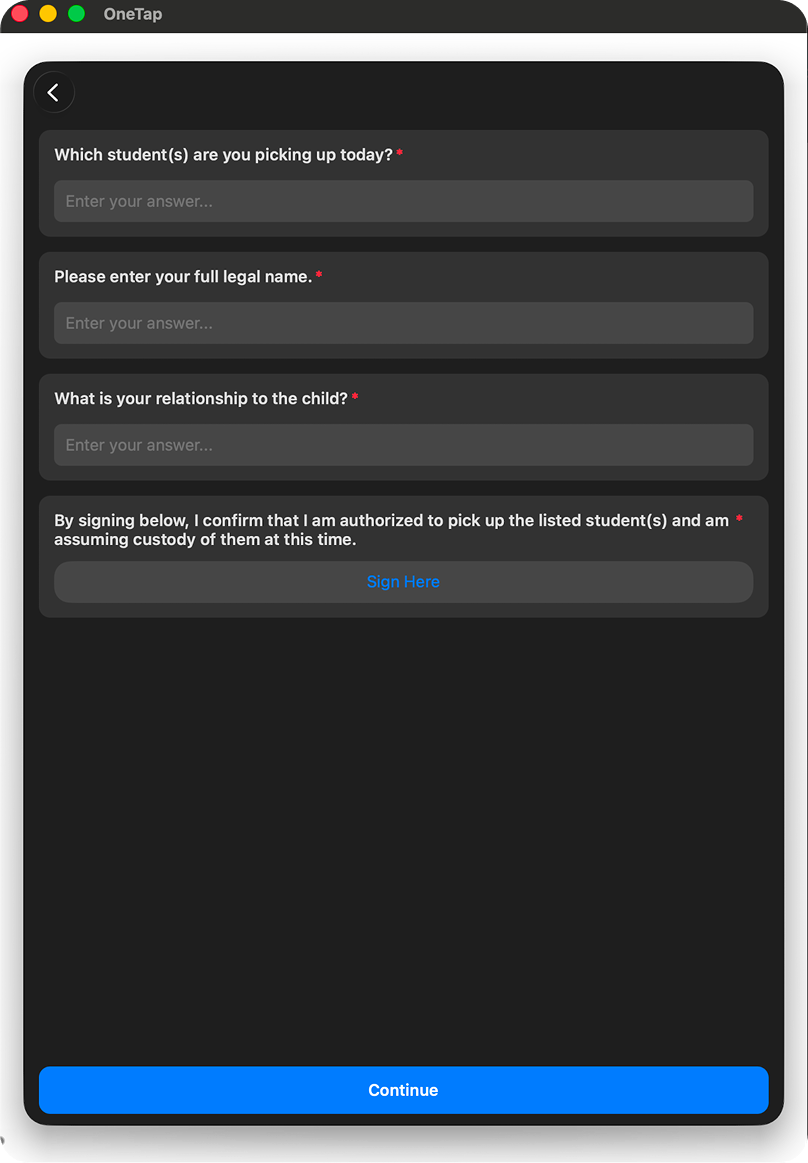
Every check-out is timestamped. Add a checkout survey to capture the pickup person's name, add attachment to collect a photo, signature.


one tool, every program
If kids show up and you need to know who’s there, OneTap fits.
Your funding runs on this data. OneTap counts every day and hour as kids check in, so your APR is ready before your funder asks.
Per-student days and hours, with the 30-day regular-attendee count
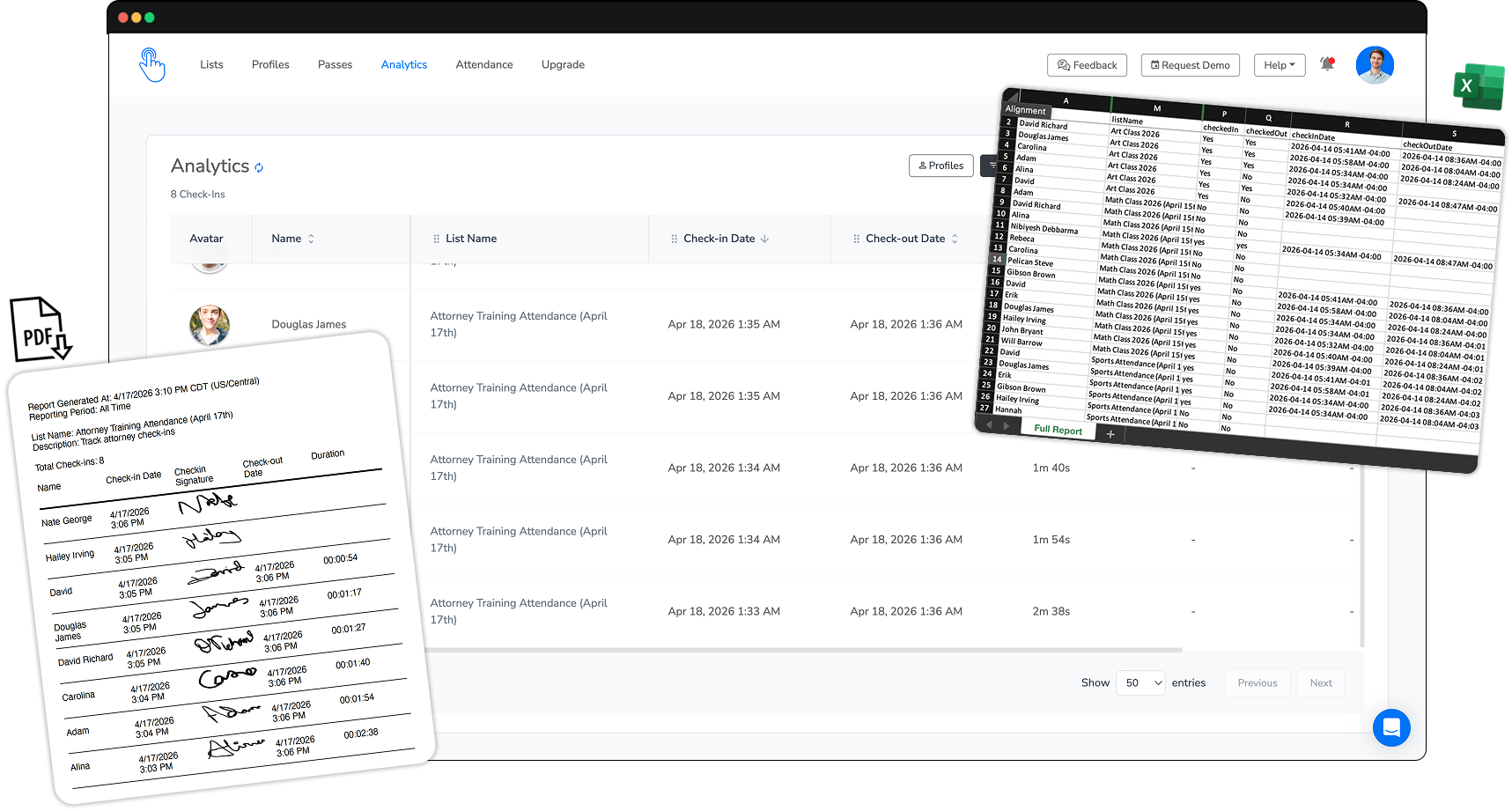
One-click export to Excel or PDF, by program, site, or date
Demographics and custom grant fields, captured at sign-up


is it time?
If any of these sound like your week, you're ready.
More kids, more missed names. The clipboard is breaking.
“Is my child there?” should take seconds, not a building walk.
Someone's digitizing paper into Excel just to prove attendance.
Clipboards and name-calling - time stolen from the kids.
You need check-in run by one or two people, max.
This is the year you stop using paper and hope.
One system for your whole team
Add students, staff, or whole sites as you grow. No new tool, no new process, no IT project.
Simple, honest pricing
Start free for up to 20 students. Paid plans scale with your program, billed yearly. Over 1,000 kids? We'll set up a custom plan.
Already know your roster size? Most programs start here.
per month, billed annually
For up to 250 students (visitors) & individual QR passes
Get Startedper month, billed annually
For up to 500 students (visitors) & API integration
Get StartedPopular
per month, billed annually
For up to 1000 students (visitors) & collaborator access
Get Startedper month, billed annually
For 1000+ students (visitors), SSO login, & custom reports
Let's TalkEvery plan includes check-in & check-out, clean exports, the iPad kiosk, and unlimited lists. One flat price by roster size.
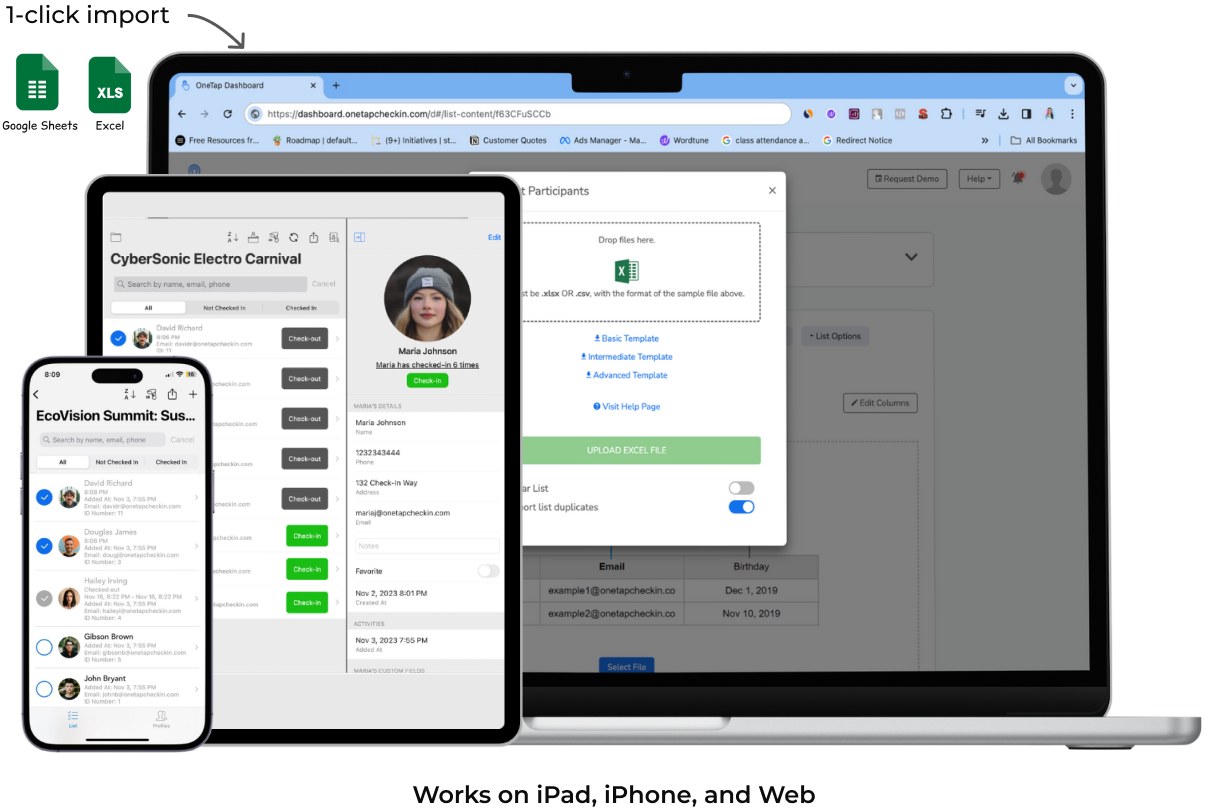
An afternoon. Import your student list from Excel, share a QR code or sign-up link, and you're taking attendance the same day. No IT, no training day, and most staff learn it in about five minutes.
No. Add students anytime, and a hundred kids can check in at once without it slowing down.
Set a time window so check-in only opens when your program does (no 10am taps for a 3:30 start). Location and device restrictions tie each check-in to one place and one phone, so no one checks in for a friend.
Yes to both. Move up a plan anytime as your roster grows, and we can invoice you or accept a purchase order.
OneTap only needs a student's name to check them in, so you're never forced to store sensitive records. Anything more, like school or grade, is an optional field you choose to add. Your data is encrypted, stays private to your organization, and you decide who has access.
Yes. A phone is just one option, never a requirement. Set up one iPad as a kiosk at the door for kids to tap in, or scan a printed QR pass or the ID badge you already issue.
Yes. Every check-in and check-out is logged with dates, times, total hours, and any custom demographic fields your grant requires. Export clean Excel or PDF in one click, filtered by date range, program, or student, ready for 21st CCLC and other funders.
Yes. Collect waivers or consent at registration or check-in, and they're stored on each student's profile.
Yes. Keep your registration forms, Google Sheets, or CRM. OneTap syncs through Zapier, webhooks, or a custom API, so nothing has to be rebuilt. Most programs just import their roster from Excel and go, and the integrations are there if you ever need them.
Yes. OneTap uses encrypted data storage and secure cloud infrastructure. Your attendance data is private to your organization. You control who has access through collaborator permissions.
See it before you decide
Book a 15-minute walkthrough: how kids self-check-in by QR, how check-out and pickup work, how attendance export comes out, and straight answers to every question your team has.
© 2026 OneTap, Inc. Attendance app for after-school and youth programs. Data is stored in US-based data centers. We do not sell your data.
Google™, Google Sheets™, and Google Forms™ are trademarks of Google LLC. Microsoft® and Microsoft Excel® are registered trademarks of Microsoft Corporation. Apple®, iPad®, and Apple Wallet® are trademarks of Apple Inc. Google Wallet™ is a trademark of Google LLC. Zapier® is a trademark of Zapier, Inc. This product is not affiliated with, endorsed, or sponsored by any of these companies.